
Ghost is a clean publishing platform popular with bloggers, newsletters, and content creators. It has a site-wide code injection area, so you only add the Converly code once and it loads on every page. To install Converly on your Ghost site, follow the instructions below:
Step 1: Copy your install code
The first step is to grab your Converly install code. In Converly, click Install in the left sidebar and copy the code shown at the top. It is unique to your site, so make sure you copy the exact code shown there rather than reusing code from anywhere else. See Install Converly for the full walkthrough.
Step 2: Open Code Injection
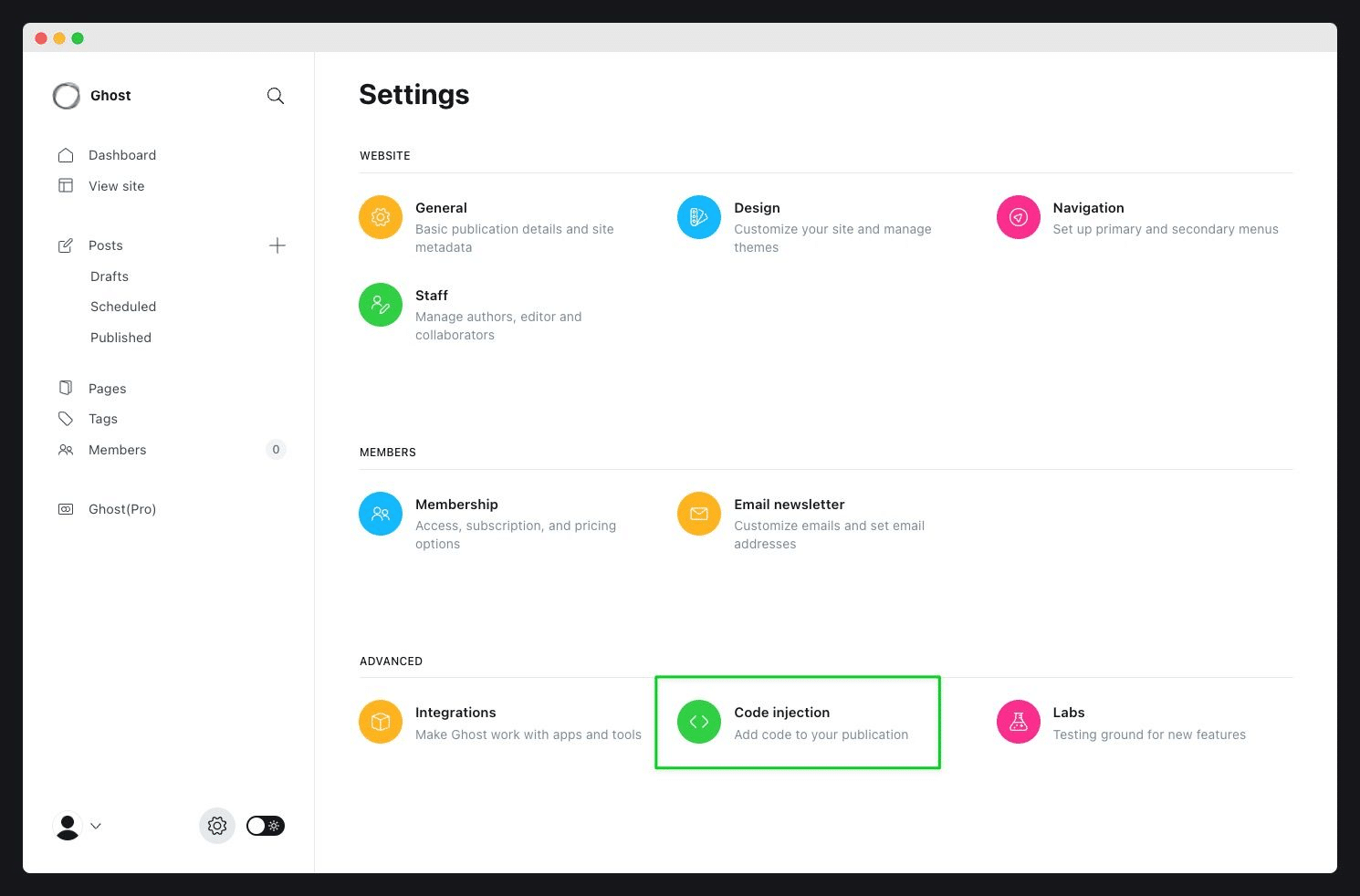
The next step is to find where Ghost lets you add custom code. In your Ghost admin, click the settings cog in the bottom left, then select Code injection.
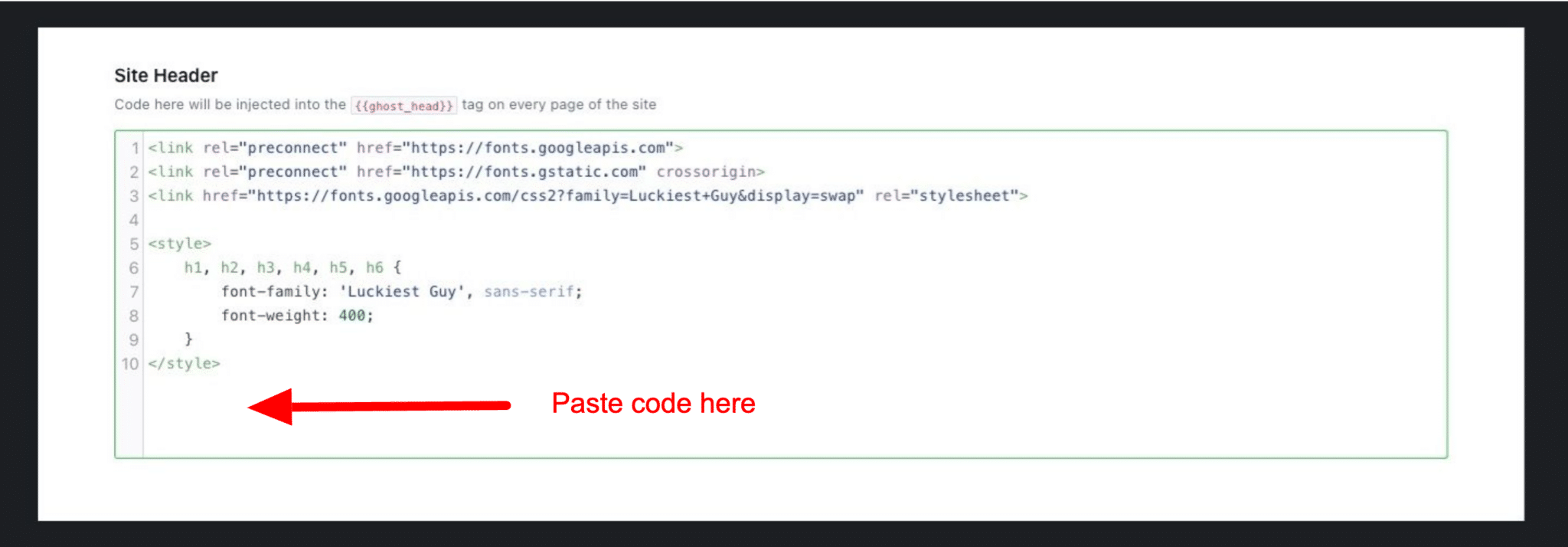
Step 3: Paste your code in the Site Header and save
Paste the code from your Converly account into the Site Header box, then click Save.
Test it works
That's it! Converly is now installed on your Ghost site. To check it is working, open a new incognito window, go to your website, and submit a test entry through one of your forms. Then open the Activity page in Converly. If the code is installed correctly, the test conversion shows up there within a moment.
Paste your own code
Any code shown in a screenshot is only an example. Always paste the exact code from your own Install page, which contains the key that is unique to your site. Code copied from anywhere else will not track to your account.