A flow is the core of how Converly works. It is a rule that says "when this happens here, send this conversion there." This guide walks you through building one.
The parts of a flow
Every flow has three parts:
- A trigger. The lead capture tool and event that starts the flow, for example "someone submits the Contact Us form" or "someone books a Calendly meeting."
- One or more actions. Each action sends the conversion to a destination, like Google Ads, Meta, or Google Analytics. A single flow can send to several destinations at once.
- A conversion. The specific conversion you want to record in each destination, along with its value.
Creating a flow
Open Flows
Click Flows in the left sidebar. This is the list of every flow on your site. Click Create New Flow to start a new one and give it a name.
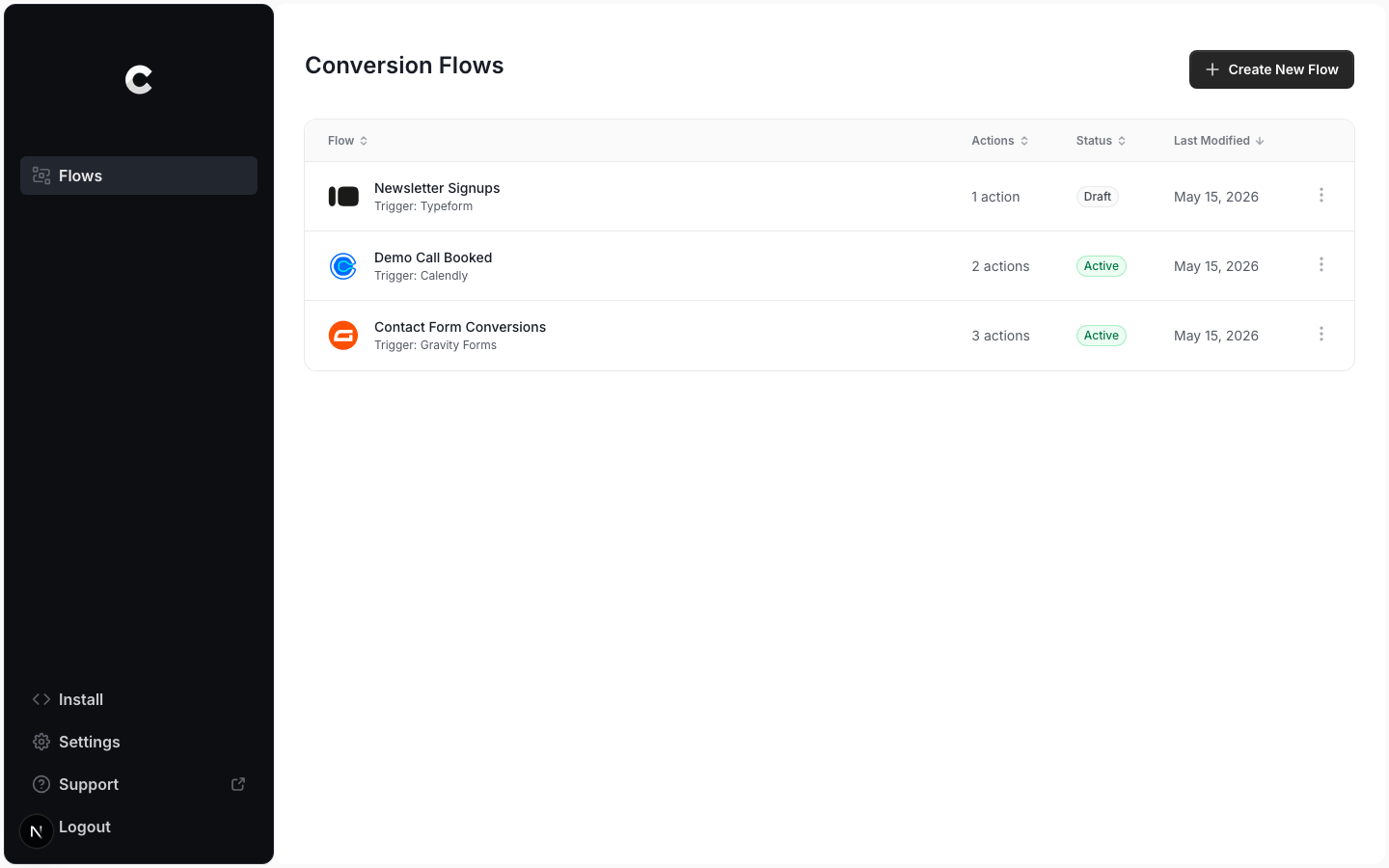
Every flow on your site lives here. Add a trigger
In the flow builder, click Add A Trigger and choose the lead capture tool that should start the flow. Converly detects most form builders automatically once it is installed on your site. For tools like Calendly you connect them here the first time.
Add your destinations
Click the + button below the trigger to add an action. Pick a destination, then choose the conversion it should record and set its value. Repeat to send the same event to more than one platform.
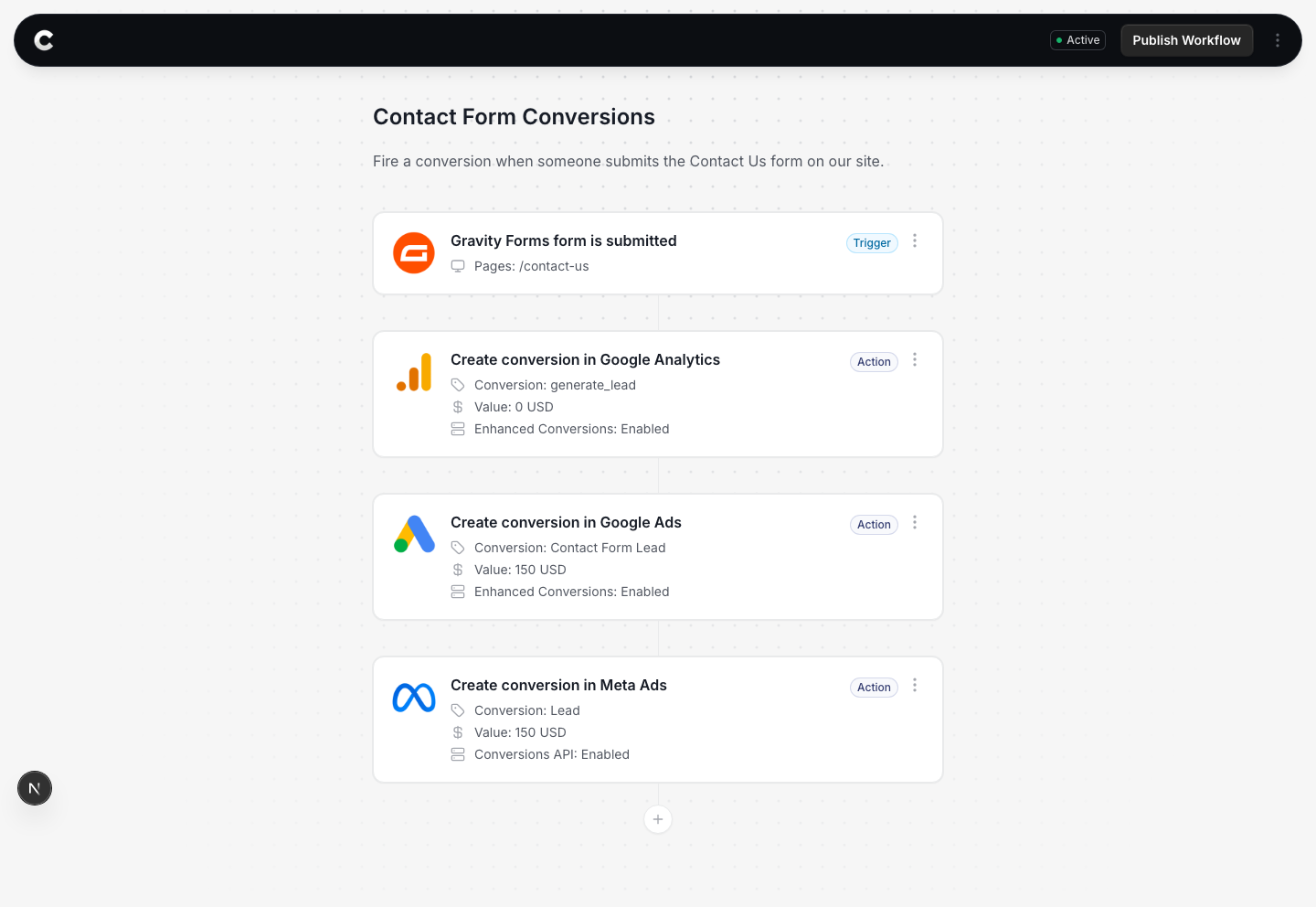
One trigger, three destinations, in a single flow. Publish the flow
When the trigger and at least one action are set, click Publish Workflow in the top right. The status changes to Active and Converly starts sending conversions.
Confirm it is working
Click Logs in the left sidebar to open your conversion log. Every conversion Converly sends shows up here, with the visitor, the flow, the destinations it reached, and whether it was delivered.
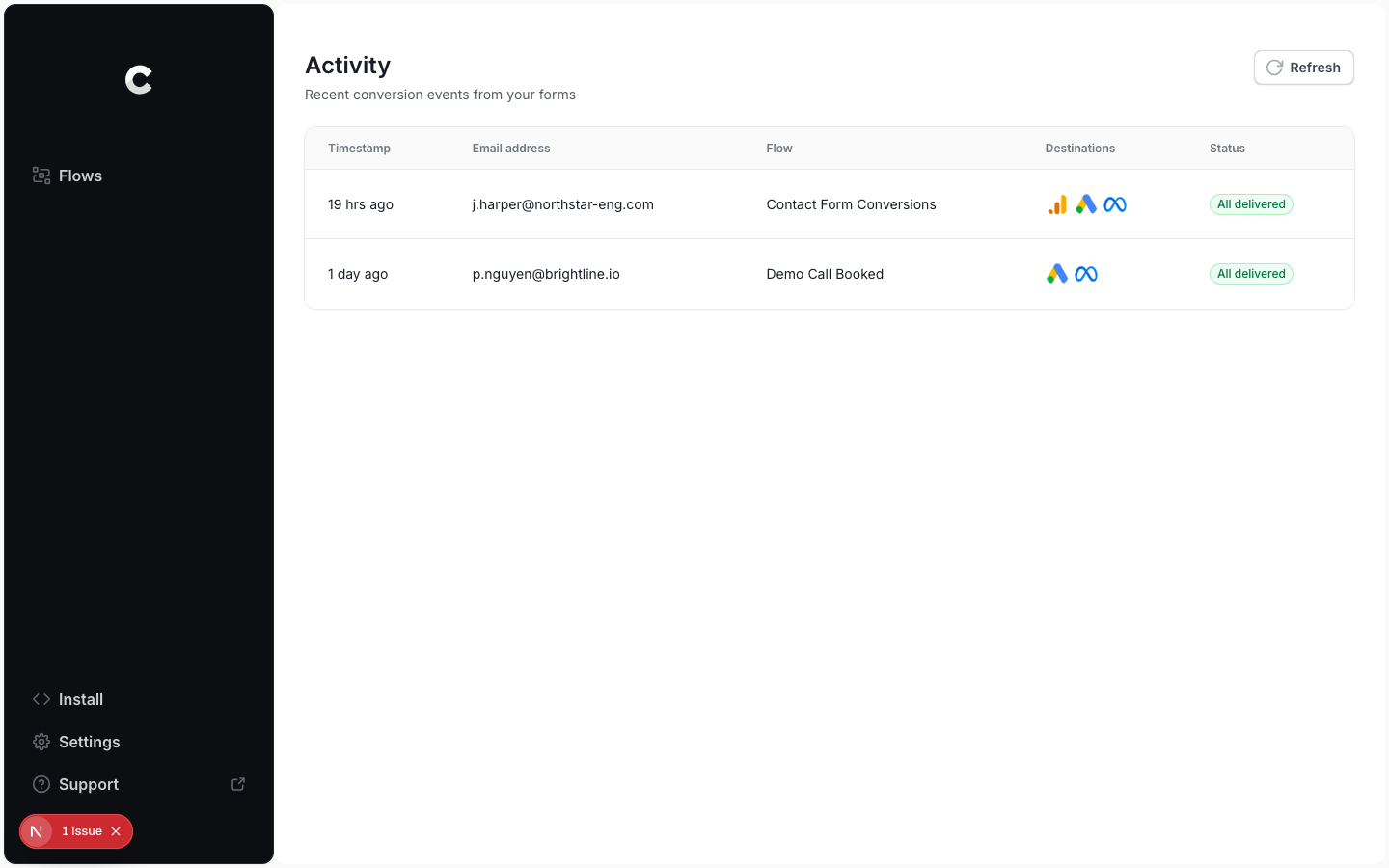
Live conversions, with delivery status per event.
Common patterns
Send one event to several platforms
A single form submission or booking can fire conversions to Google Ads, Meta, and Google Analytics at the same time. Add each one as a separate action in the same flow.
Different events for different stages
If you track separate stages, like a demo booking and a closed deal, build a flow for each. One records a lead when the demo is booked, the other records a purchase when the deal closes.
Test before you go live
Send a test conversion before you publish. A misconfigured conversion can inflate or deflate your reported numbers, and your ad platforms bid on those numbers.