
You can update the name and company on your account at any time from Settings.
Step 1: Open Settings
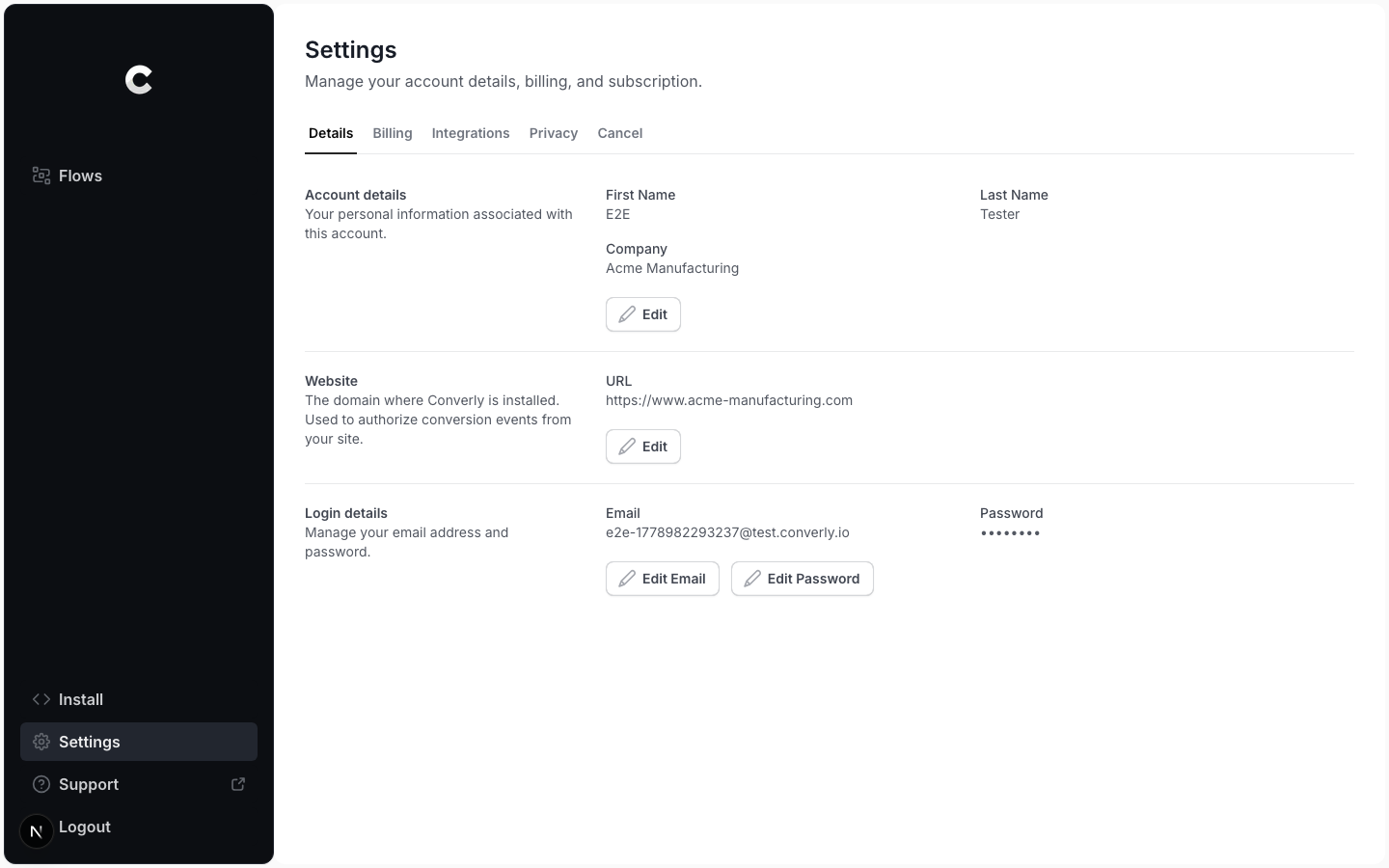
Click Settings in the left sidebar. You land on the Details tab, which shows your account details, website, and login details.
Step 2: Edit your details
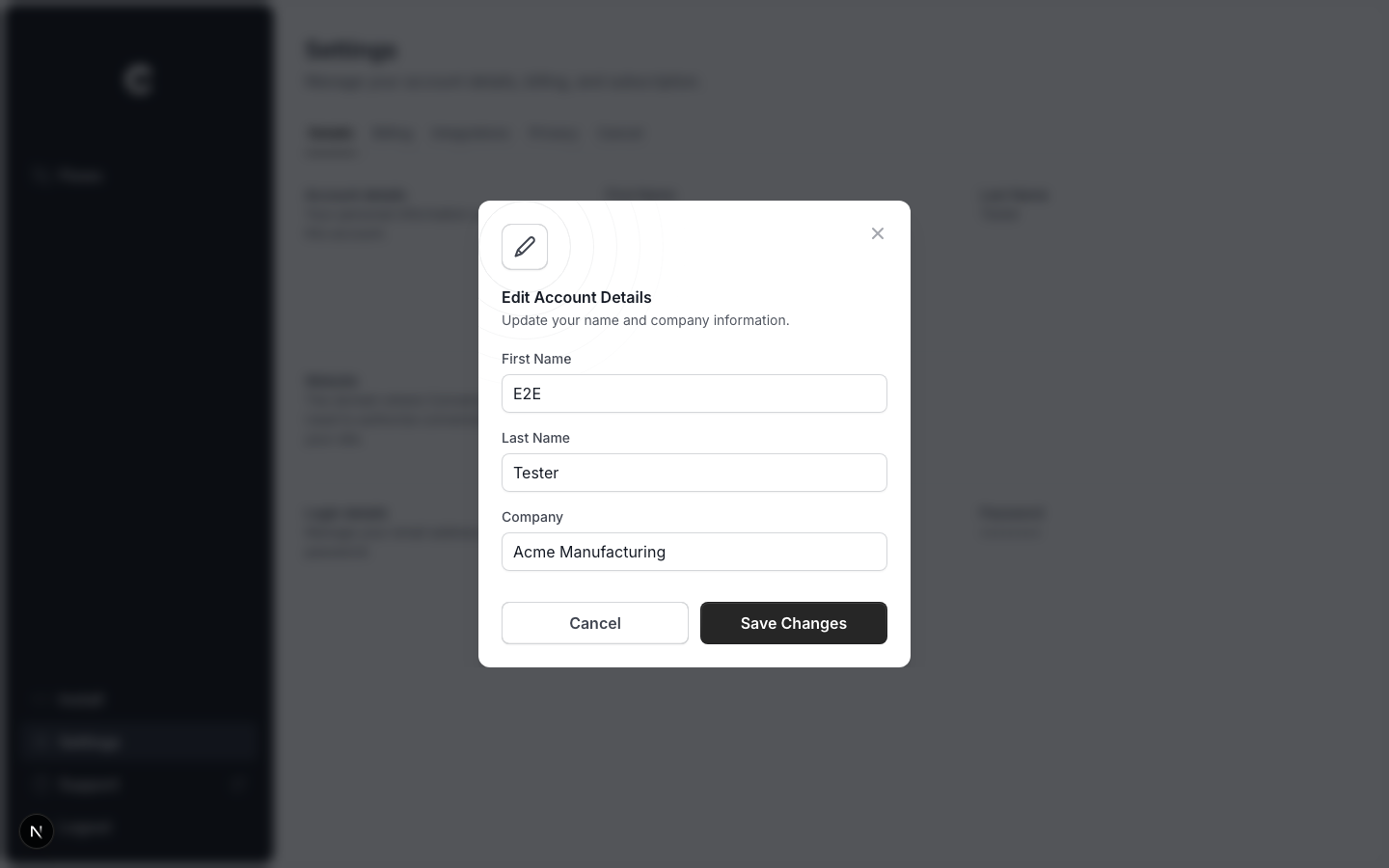
In the Account details section, click Edit. A window opens with your first name, last name, and company. Change what you need, then click Save Changes.
Company name
Your company name is also used as the name of your website inside Converly, so updating it here keeps both in sync.