
When you set up a Flow in Converly, you can tell it to send a specific value and currency along with each conversion.
You can set a static value (I.e. $500) and that same value gets sent with every conversion, or you can set a dynamic value that is different based on the actual price the person paid.
For example, if your flow starts when someone books an appointment through Acuity Scheduling, Converly can send the total price of each booking to Google Ads, Meta or any of your other destinations. So if one customer books an appointment for $150 and another books an appointment worth $250, the actual amount that each person paid would be sent along with the conversion.
To set it up, follow the instructions below:
Step 1: Open your destination's settings
The first step is to open the action that sends conversions to your ad platform. In your flow, click an existing action, or click the + below your trigger and choose a destination. If you haven't built a flow yet, see Building a flow.
Then choose the conversion you want to record, just like you normally would.
Step 2: Click the + in the Value box
Next, find the Value (optional) box. When your trigger can supply a value, there's a small + inside it. Simply click it.
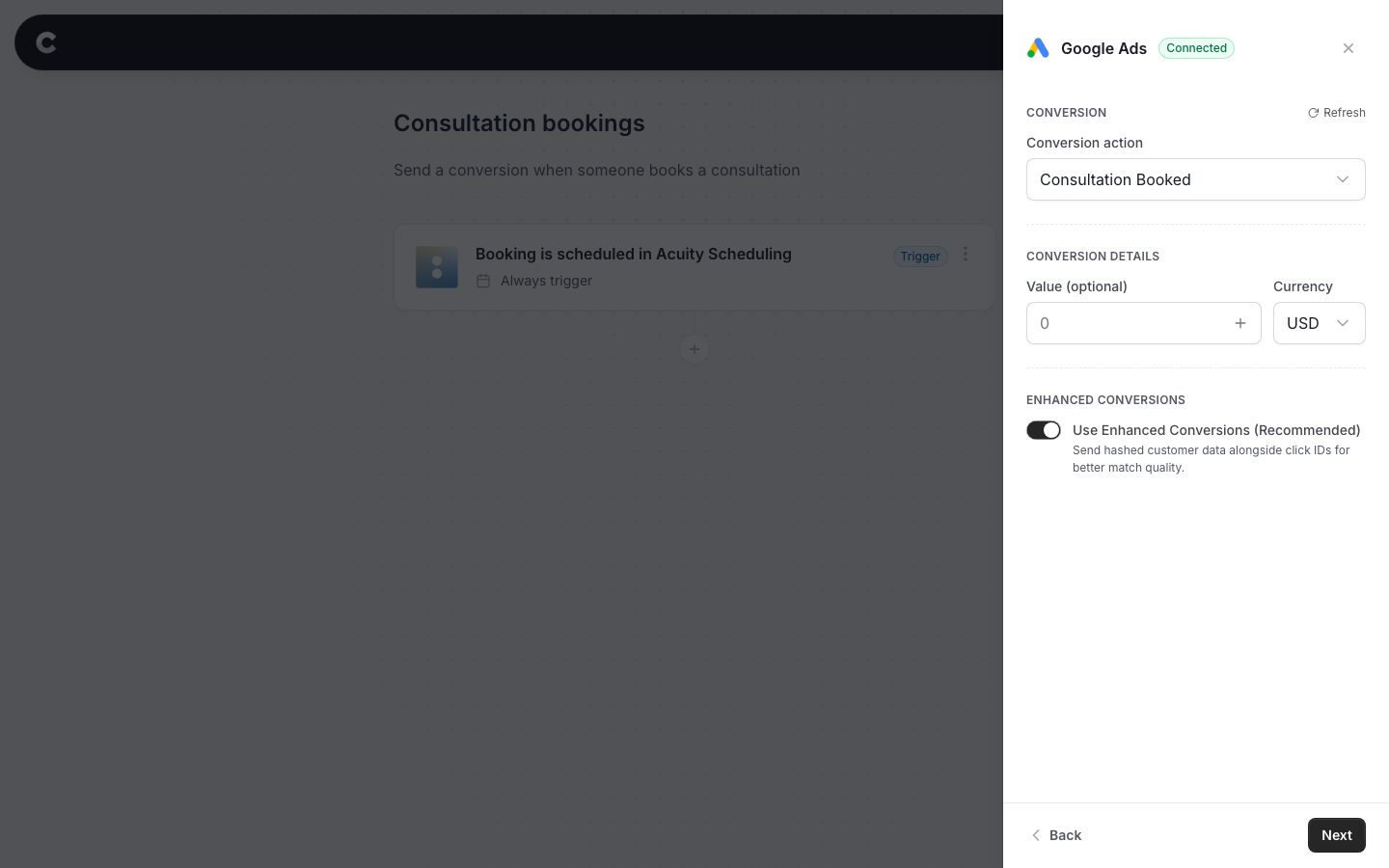
For Google Analytics, TikTok Ads and ChatGPT Ads, the + appears once you've chosen your event or conversion. For LinkedIn Ads, it appears once you've chosen your Server rule.
No +? Make sure the destination's server-side setting (like Conversions API for Meta) is turned on, and that your trigger and destination are both connected.
Step 3: Choose a value from your trigger
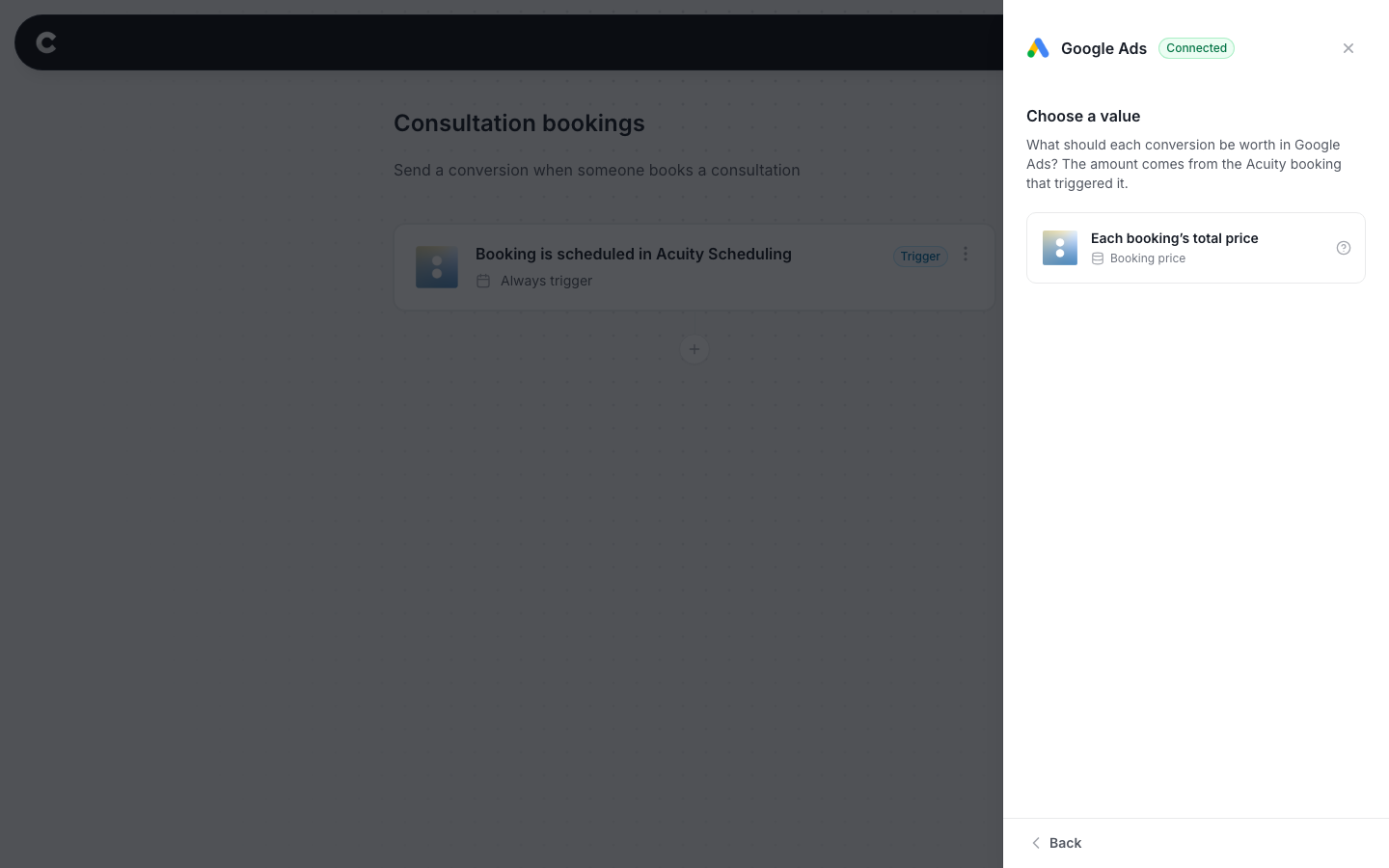
A panel called Choose a value opens, listing the values your trigger can supply. Click the one you want.
Continuing the Acuity Scheduling example from earlier, choose Each booking’s total price. This is the price Acuity Scheduling has for the appointment, after any discounts and redeemed credits, and including any add-ons your client picked.
Step 4: Set your fallback value and currency
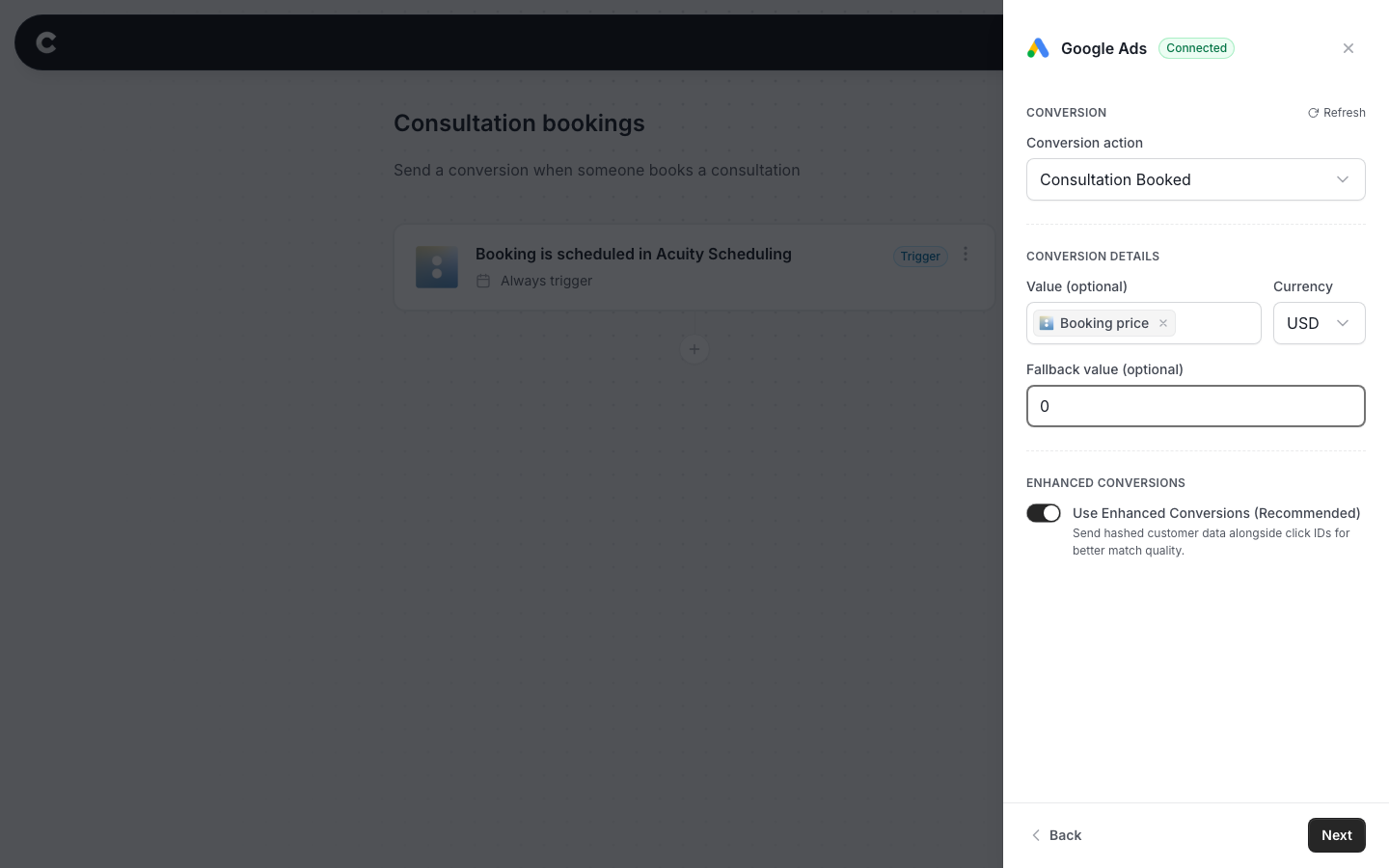
The value you chose now shows as a grey tag in the Value box, for example Booking price. If you change your mind, click the × on the tag to go back to a fixed amount.
The Fallback value (optional) box holds the amount Converly sends if a conversion ever comes through without a value from the trigger. If you leave it blank, the fallback is 0.
Make sure Currency matches the currency your prices are in. Converly sends the amount in that currency.
Then click Next, send a test (or click Skip test), and click Add action to save it. If you're editing an existing action, the last button says Save changes instead. Finally, publish your flow.
Step 5: Test it works
That's it! You've set everything up!
The final step is to make sure the value comes through. To do this, open a new incognito window and do whatever triggers your flow. Continuing the Acuity Scheduling example, book an appointment through the booking form on your website. Pick one with a price and an add-on so you can check the total.
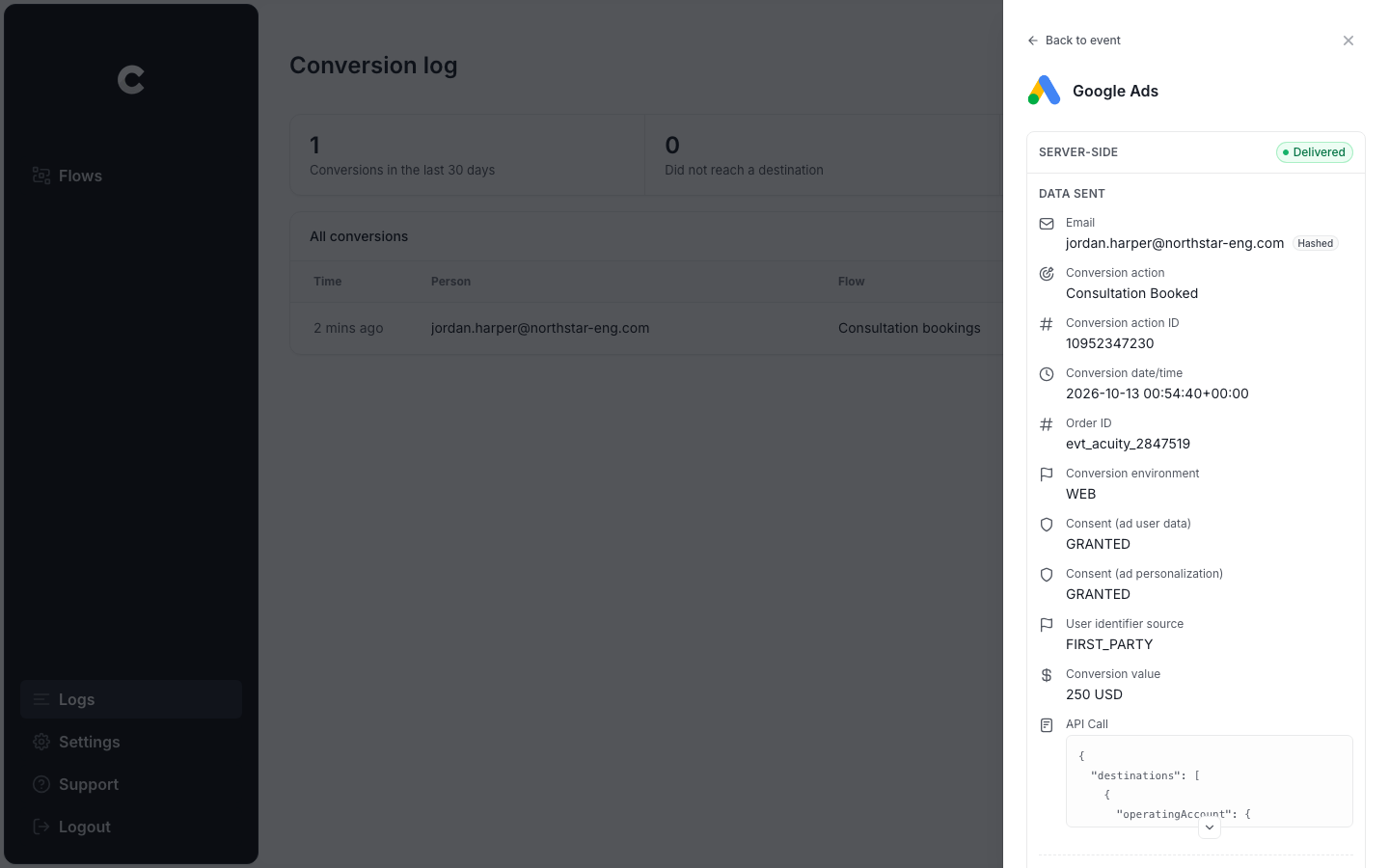
Then click Logs in the left sidebar, open the conversion, and select your destination. The Conversion value row shows the exact amount that was sent.
Test events use your fallback value
The Send test event button sends your fallback value, because there's no real booking behind a test. Google Ads is the exception, because its test always sends 1 cent. Make a real booking to see the dynamic value come through.
Can I send the booking price to Google Ads, Meta or my analytics tool?
Yes. You can send a dynamic value to any destination that takes a conversion value. That includes Google Ads, Meta Ads, Google Analytics, Microsoft Ads, LinkedIn Ads, Reddit Ads, TikTok Ads, ChatGPT Ads, Snapchat Ads, Pinterest Ads, X Ads, AdRoll, Taboola, Plausible, Fathom, Pirsch, GoSquared and Simple Analytics.
The values you can choose come from your trigger. For example, Acuity Scheduling bookings supply Each booking’s total price.
If you change your trigger later
If you switch your flow to a trigger that can't supply the value you chose, or turn off the destination's server-side setting, the tag in the Value box gets a red outline. Converly asks you to remove it before you publish. Your fallback amount stays, so nothing is lost.