
You can change your password at any time from Settings. You will need your current password to do it.
Step 1: Open Settings
Click Settings in the left sidebar. On the Details tab, scroll to the Login details section.
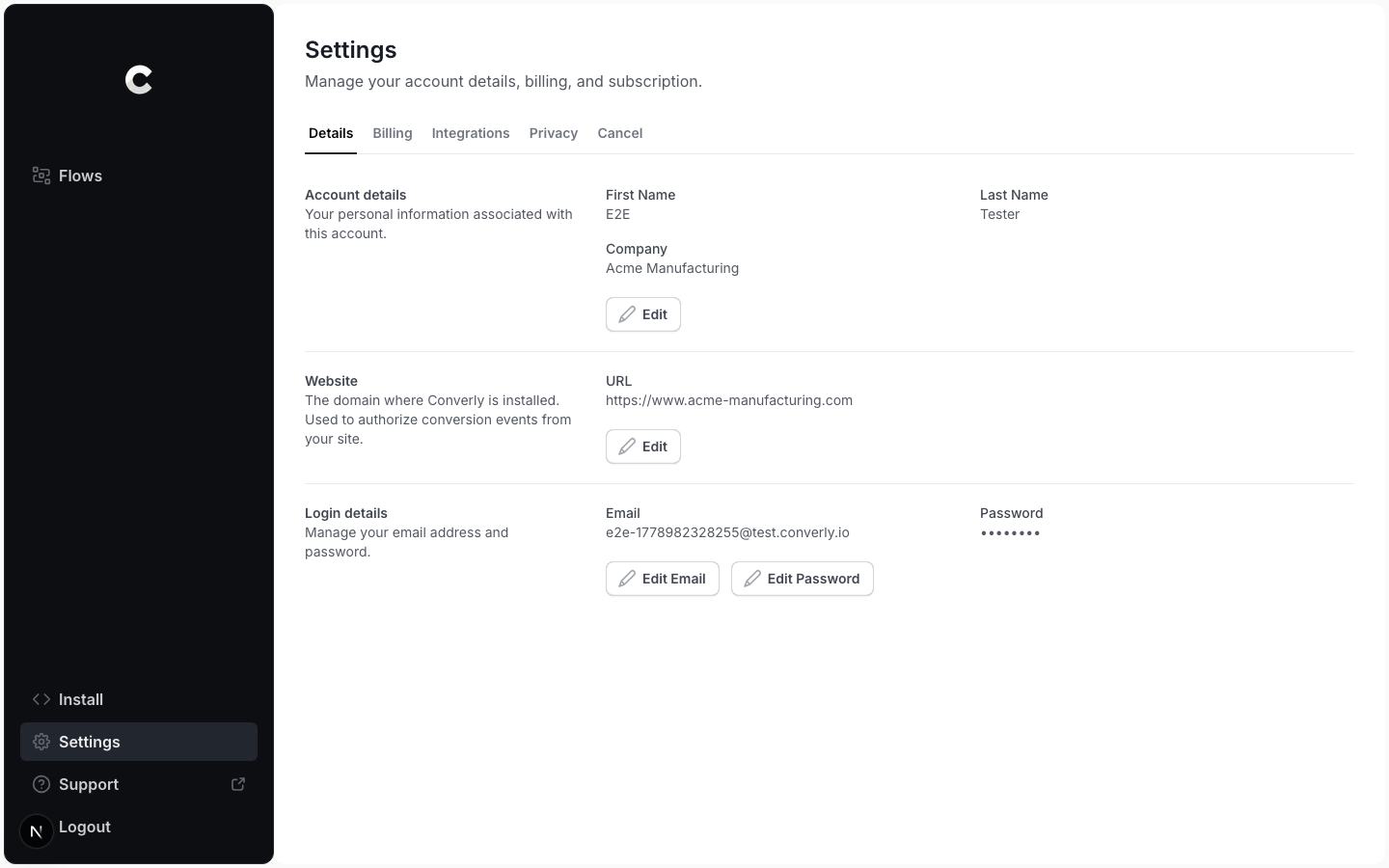
Step 2: Edit your password
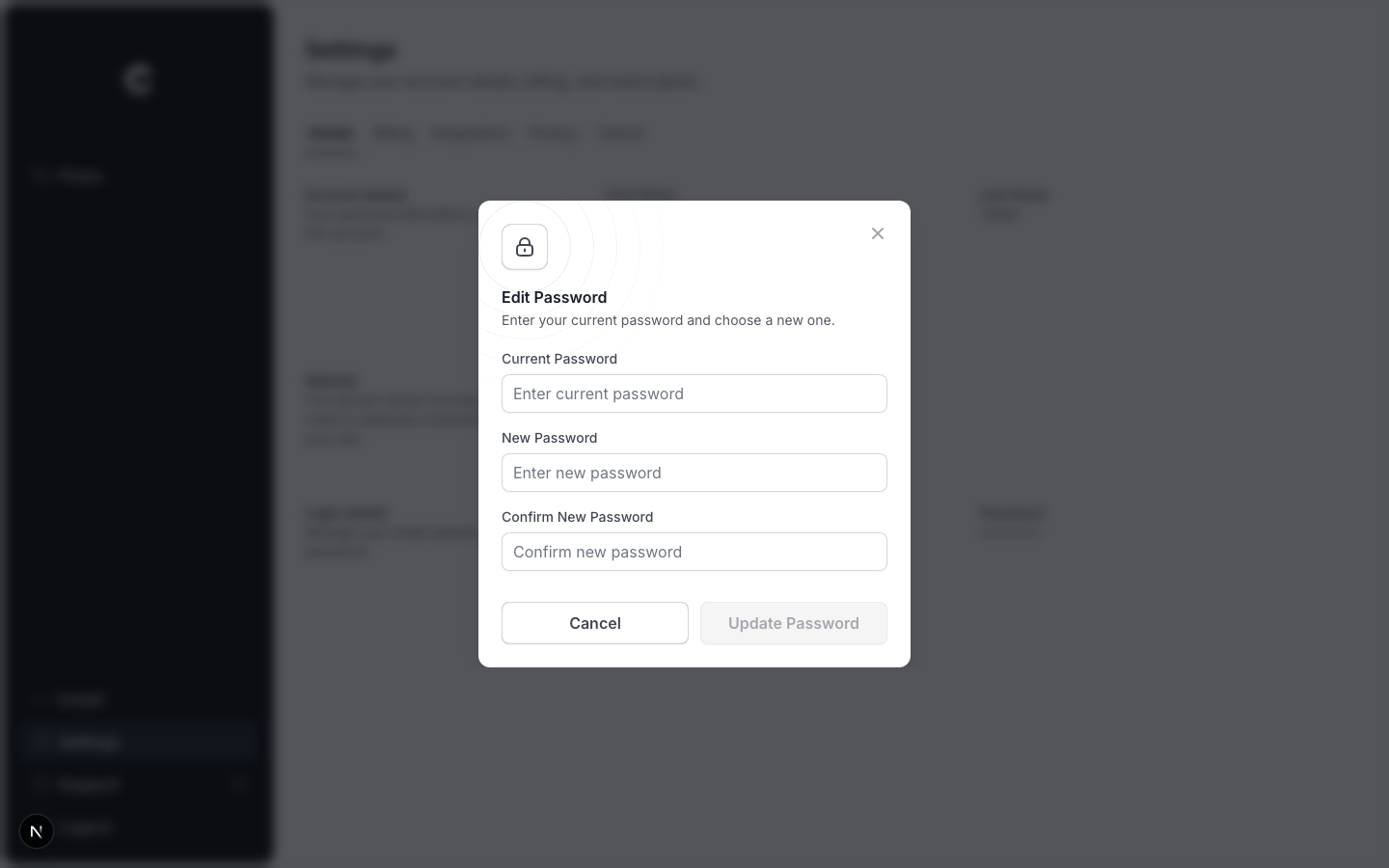
Click Edit Password. A window opens with three fields: your current password, your new password, and a confirmation of the new password. Fill them in and click Update Password.
Your new password must be at least 8 characters, and the two new-password fields must match.
If it does not save
The most common reason is an incorrect current password. Re-enter it carefully and try again.