
Pirsch Analytics is a privacy-friendly, cookie-free alternative to Google Analytics, popular with businesses that want simple stats without consent banners.
Converly can send your conversions to Pirsch as events, so your form submissions show up in your Pirsch dashboard alongside your traffic data, with the conversion value attached.
To set it up, follow the instructions below:
Before you start: you need a flow with a trigger already set up (see Building a flow), and the Pirsch script needs to be installed on your website. Converly fires the event into the Pirsch script already running on your page. It does not install Pirsch for you.
Step 1: Add an action
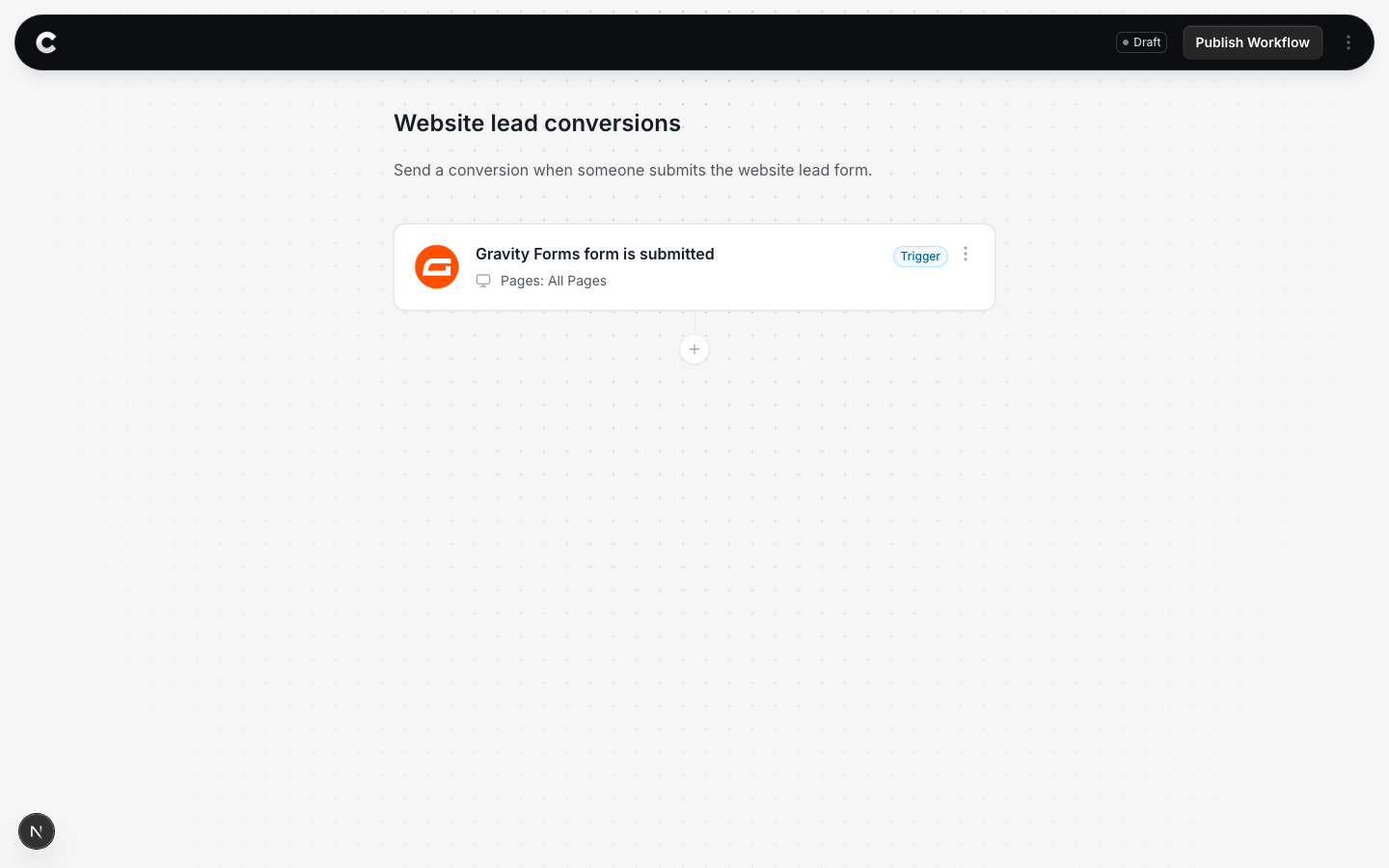
Open the flow with your trigger. Below the trigger card there is a + button. Click it to add an action.
Step 2: Choose Pirsch Analytics
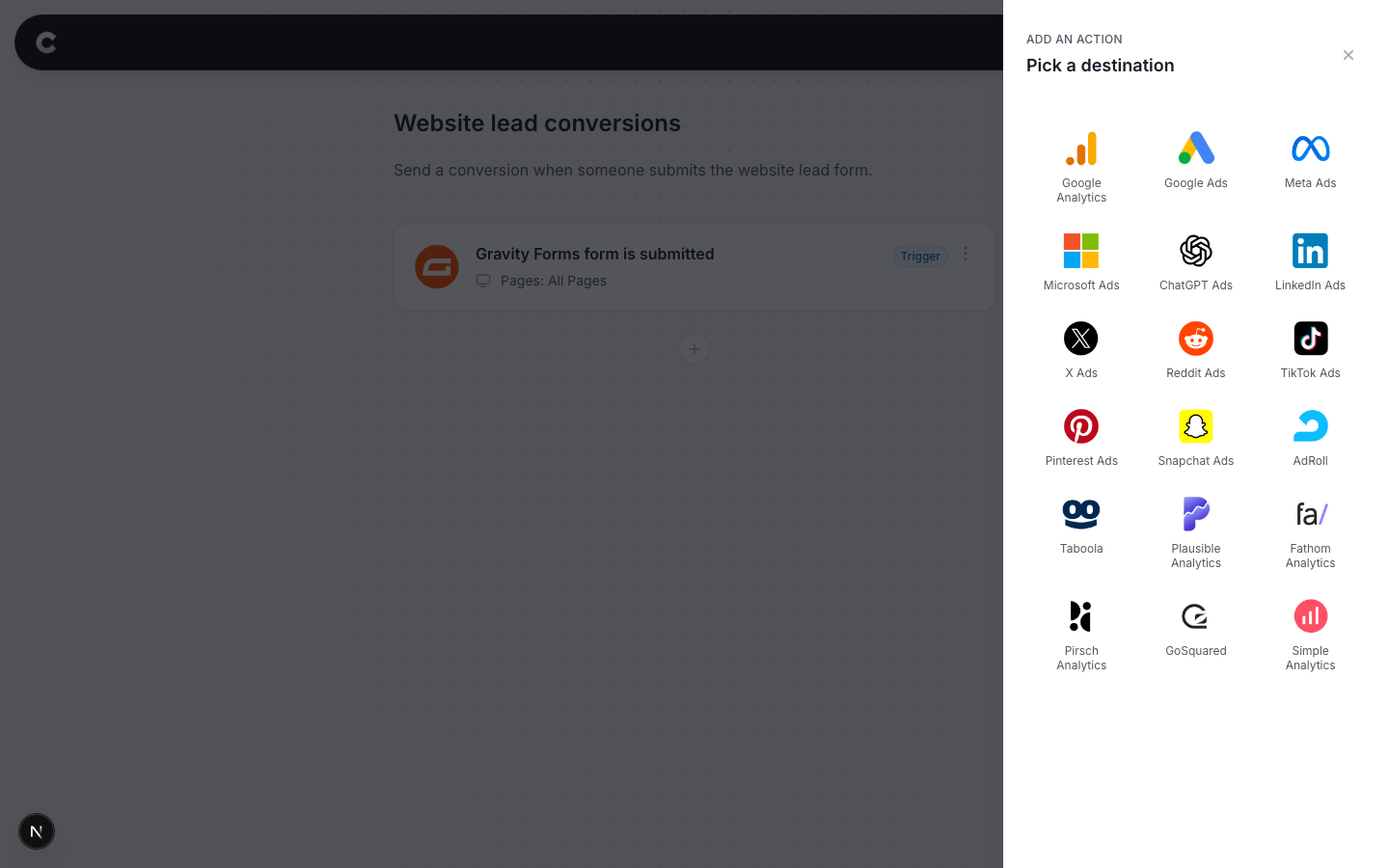
A panel slides in from the right listing every destination Converly can send to. Click Pirsch Analytics.
Step 3: Configure the event
The next step is to tell Converly what to send. It should look something like this:
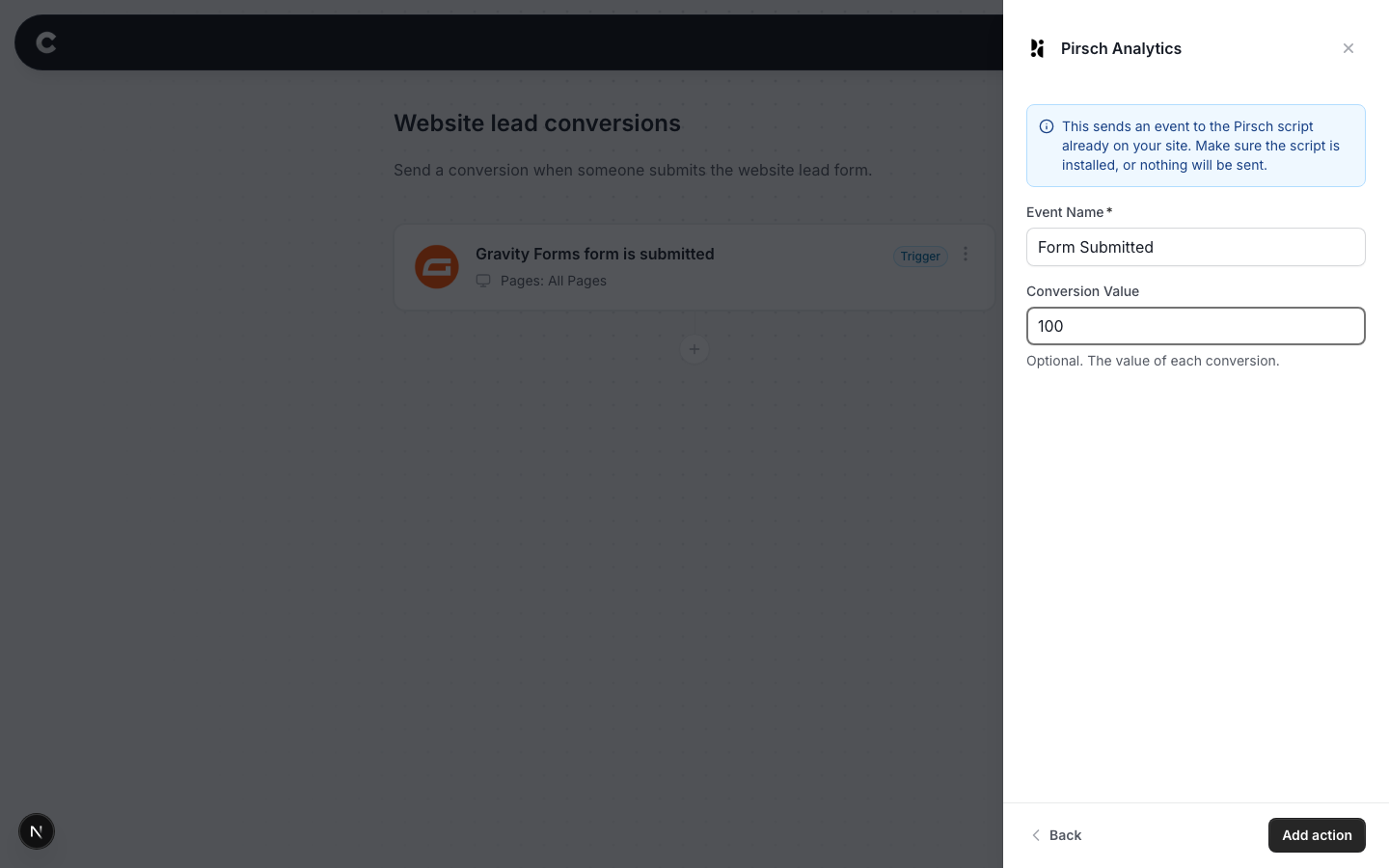
- Event Name = the name the event appears under in your Pirsch dashboard.
- Conversion Value = optional. What a conversion is worth to you, in normal dollars (100 means $100). Converly attaches it to the event as metadata, which you can see when you click into the event in Pirsch.
Click Add action, then publish your flow.
There is nothing to set up on the Pirsch side. Events appear automatically the first time one arrives.
Step 4: Test it works
That's it! You've set everything up!
The final step is to make sure everything is working. To do this, open a new incognito window and submit the form on your website that triggers your flow.
Then check 2 places:
- In Converly, click Logs in the left sidebar to open your conversion log. You should see the conversion with Pirsch Analytics marked as fired.
- In Pirsch, open your site's dashboard and look at the Events panel. Your event should appear there, and clicking into it shows the value metadata.
Conversion shows as Pixel not found in the conversion log?
That means the Pirsch script was not on the page when the form was submitted. Converly still records the conversion for you, but nothing reaches Pirsch until their script is installed on your site. Add the Pirsch snippet to your site and test again.