
Plausible Analytics is a popular privacy-friendly alternative to Google Analytics. It gives you simple, cookie-free website stats without the complexity.
Converly can send your conversions to Plausible as custom events, so your form submissions show up as goals in your Plausible dashboard alongside your traffic data, complete with the conversion value if you set one.
To set it up, follow the instructions below:
Before you start: you need a flow with a trigger already set up (see Building a flow), and the Plausible script needs to be installed on your website. Converly fires the event into the Plausible script already running on your page. It does not install Plausible for you.
Step 1: Add an action
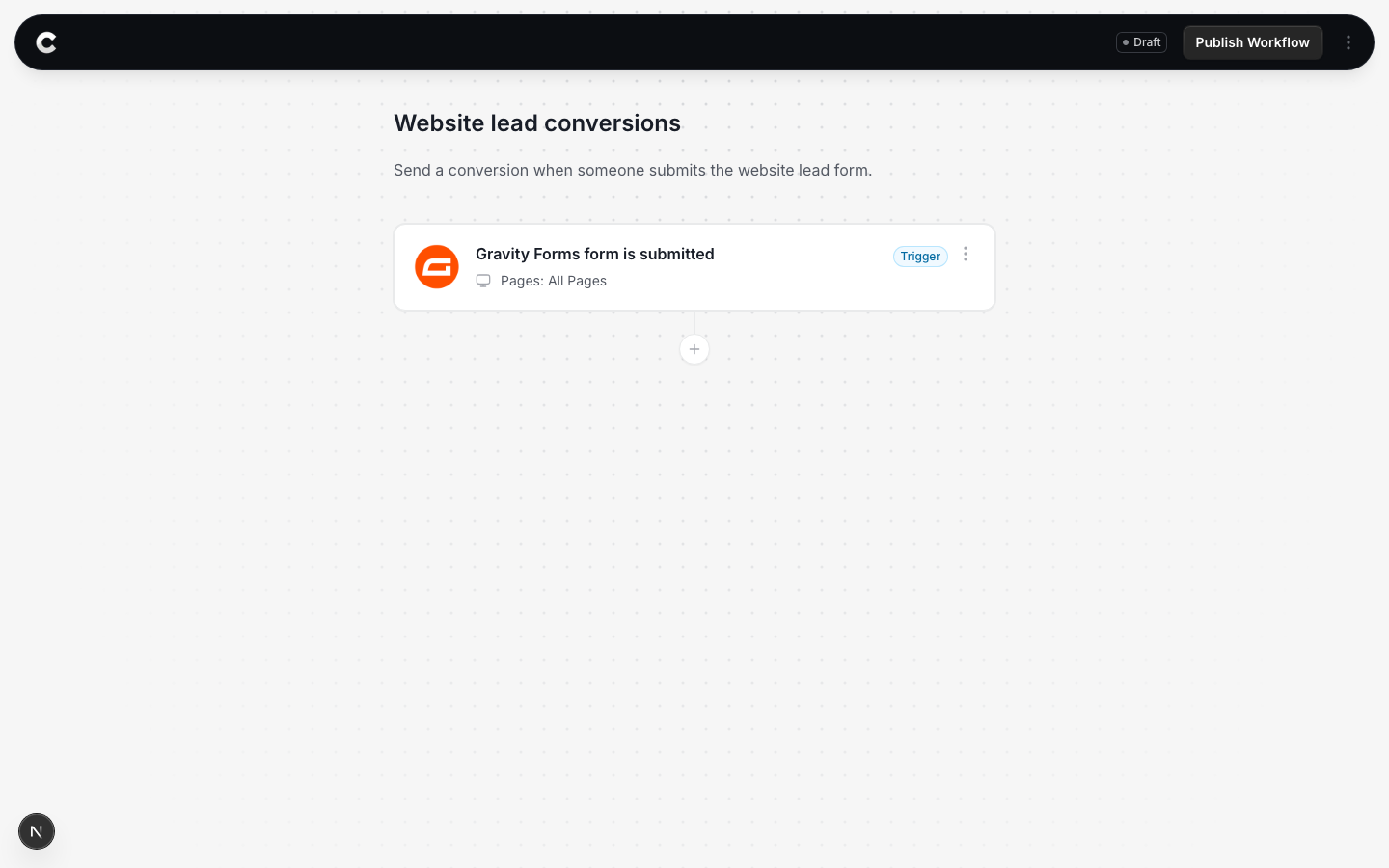
Open the flow with your trigger. Below the trigger card there is a + button. Click it to add an action.
Step 2: Choose Plausible Analytics
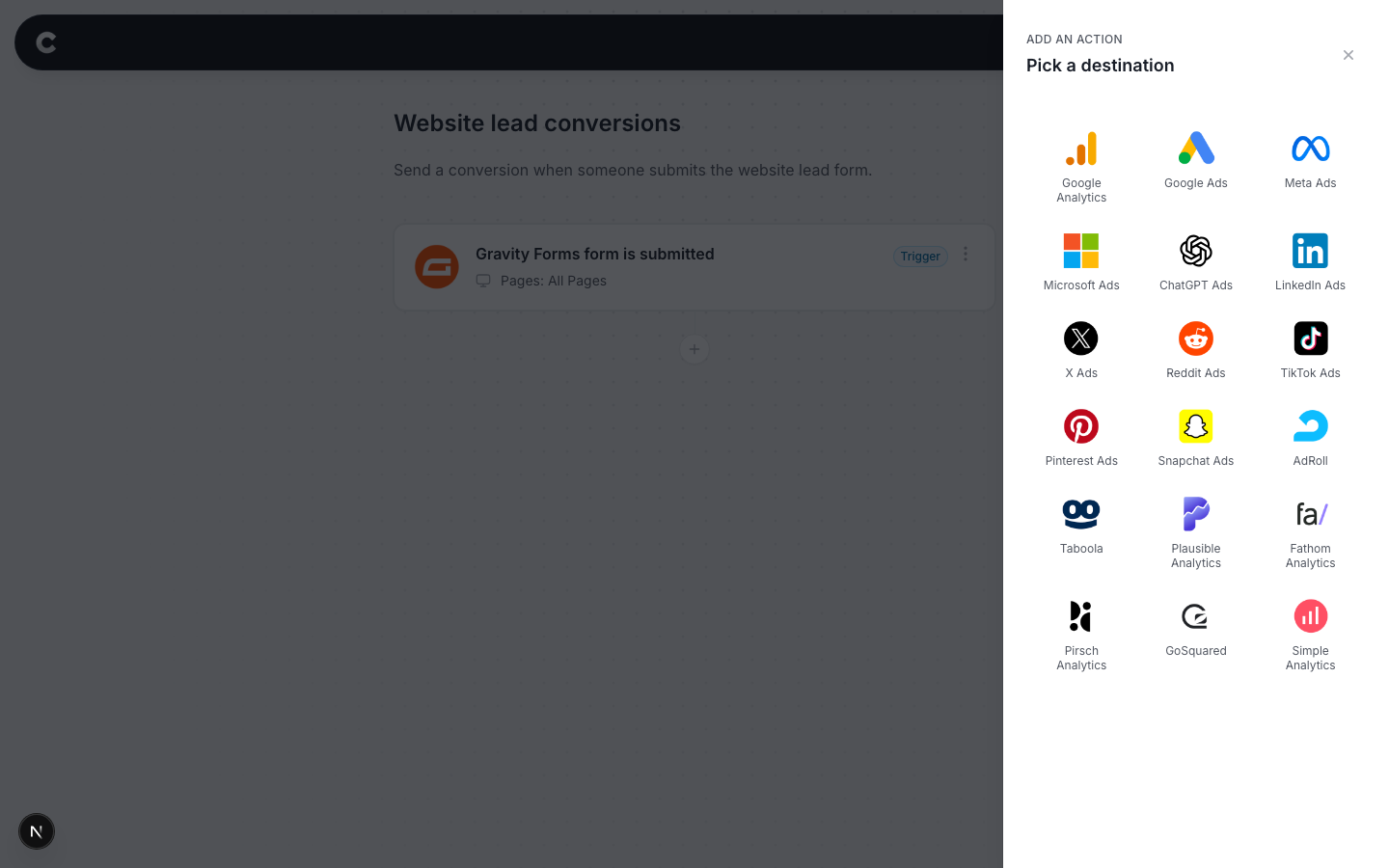
A panel slides in from the right listing every destination Converly can send to. Click Plausible Analytics.
Step 3: Configure the event
The next step is to tell Converly what to send. It should look something like this:
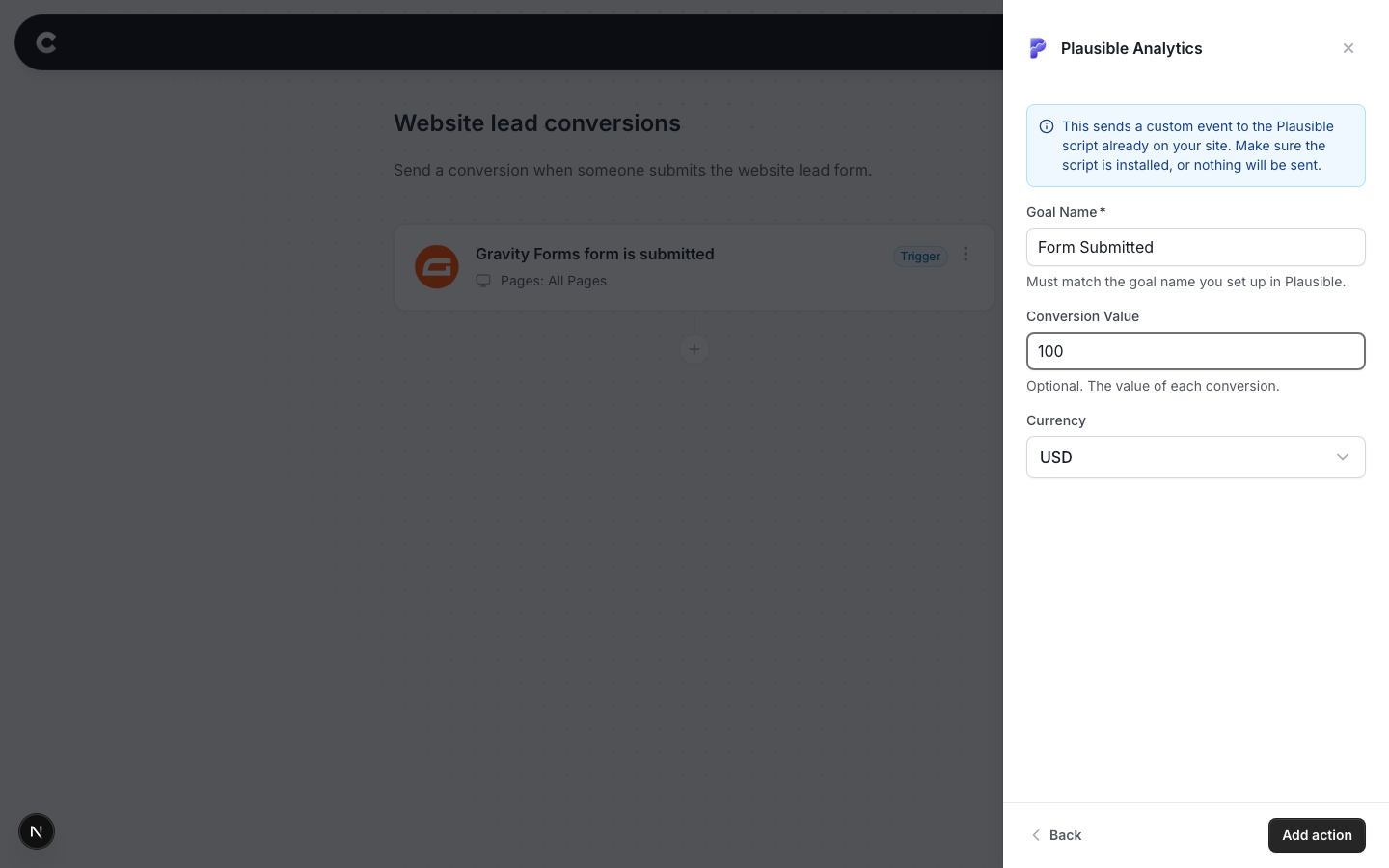
- Goal Name = the name of the goal in your Plausible account. Plausible matches events to goals by their exact name, so "Form Submitted" and "Form Submission" are 2 different goals. Copy the name carefully.
- Conversion Value = optional. What a conversion is worth to you, in normal dollars (100 means $100).
- Currency = the currency for that value.
Click Add action, then publish your flow.
Step 4: Create the goal in Plausible
The final step is to create the matching goal inside Plausible.
In your Plausible dashboard, go to Site Settings, then Goals, then click Add goal. Choose Custom event and enter the exact same name you used in Converly.
Important: Create the goal before you start sending conversions. Plausible only starts counting a goal from the moment you create it, so any conversions sent before then won't show up in your dashboard.
Want the dollar value to show in Plausible?
Revenue tracking is a Business plan feature in Plausible. When you create the goal, switch on Enable Revenue Tracking and pick the same currency you chose in Converly. Plausible only attaches revenue to conversions that arrive after the revenue goal exists, so set this up before you start sending if the dollar figures matter to you. The currency on a goal cannot be changed later.
You might see 2 form goals in Plausible
Plausible's own script automatically tracks form submissions as a goal called "Form: Submission". That one counts every form on your site. The goal you just created is different. It only counts conversions from your Converly flow, and it can carry the conversion value once revenue tracking is enabled on it. It is normal to have both.
Step 5: Test it works
That's it! You've set everything up!
The final step is to make sure everything is working. To do this, open a new incognito window and submit the form on your website that triggers your flow.
Then check 2 places:
- In Converly, click Logs in the left sidebar to open your conversion log. You should see the conversion with Plausible Analytics marked as fired.
- In Plausible, filter your dashboard by your new goal. The conversion should appear within a minute or two, with the revenue figure if you enabled it.
Conversion shows as Pixel not found in the conversion log?
That means the Plausible script was not on the page when the form was submitted. Converly still records the conversion for you, but nothing reaches Plausible until their script is installed on your site. Add the Plausible snippet to your site and test again.