
The API trigger lets your app's backend tell Converly when someone signs up, so Converly can fire that signup as a conversion to Google Ads and Meta. It is built for SaaS products and membership sites, where the signup happens in your app rather than in a form builder Converly can detect on its own. The dashboard setup takes a few minutes, then your developer wires up one backend call. To set it up, follow the instructions below.
This is the only Setup Triggers article aimed partly at developers. The first half (setting it up in Converly) is for you, the marketer. The second half is a developer reference you can hand straight to whoever owns your app's backend.
Why this matters
Unlike a generic webhook forwarder, Converly captures the things that actually move ad-platform match quality: the visitor's click ID (GCLID from Google, fbclid from Meta), the browser fingerprint cookies (FBP, FBC), the IP address, and the user agent, alongside hashed email and name.
The difference this makes:
- Meta Event Match Quality typically jumps from around 3 (the score for hashed-email-only events) to around 8 or 9 (the score Meta rewards with better ad delivery).
- Google Ads Enhanced Conversions for Web activates, because Google needs the GCLID plus hashed customer data to attribute the conversion back to the original ad click.
The challenge for SaaS signups specifically is that a server-side webhook from your backend does not have those browser-side signals. Your backend never sees the visitor's GCLID. So Converly uses a two-step pattern to combine the browser context captured by the Converly loader on your site with the signup confirmation from your backend.
Prerequisite: the Converly loader must be installed on both sites
The loader has to be on your marketing site (where visitors land from ads and the click IDs arrive) AND on your app or signup pages (where signup intent is captured). It is the same snippet in both places. See Install Converly. Without this, the API trigger has no browser context to attach and your match quality stays low.
How it works in 60 seconds
A signup is a two-halves problem:
   MARKETING SITE                 YOUR APP / BACKEND
   --------------                 ------------------
   Visitor clicks ad
   ?gclid=ABC arrives in URL
       |
       | Converly loader captures
       | GCLID, fbclid, FBP/FBC,
       | UTMs into a cookie
       v
   Cookie scoped to .yourdomain.com
   (visible across all subdomains)
       |
       | Visitor navigates to
       | app.yourdomain.com/signup
       v
   App page loads, Converly loader runs
       |
       | Signup intent detected
       | (form submit, SSO click, page mount)
       v
   Loader generates a correlation_token,
   POSTs browser context to Converly,
   AND writes the token to a cookie
   cnv_signup_correlation
       |
       | <- HALF 1 of the pair
       v
   Visitor fills out form, submits
       |
       | Your backend creates the user
       | Your backend reads the cookie
       | AND calls Converly with:
       |   - the correlation_token
       |   - the user's email
       |   - your stable account ID
       v
       <- HALF 2 of the pair

   Converly's server matches the two halves by correlation_token,
   combines browser context and customer data, and fires the
   conversion to Google Ads and Meta with full match quality.
Your developer's job is the bottom-right box: read the cookie, and call Converly when the user account is genuinely created. Everything else (capturing GCLIDs, signing the request, hashing data for the ad platforms) is handled by Converly's loader in the browser and Converly's server on the backend side.
Part 1: Set it up in Converly
This part is for the marketer. It takes about five minutes.
Step 1: Add the API trigger to a flow
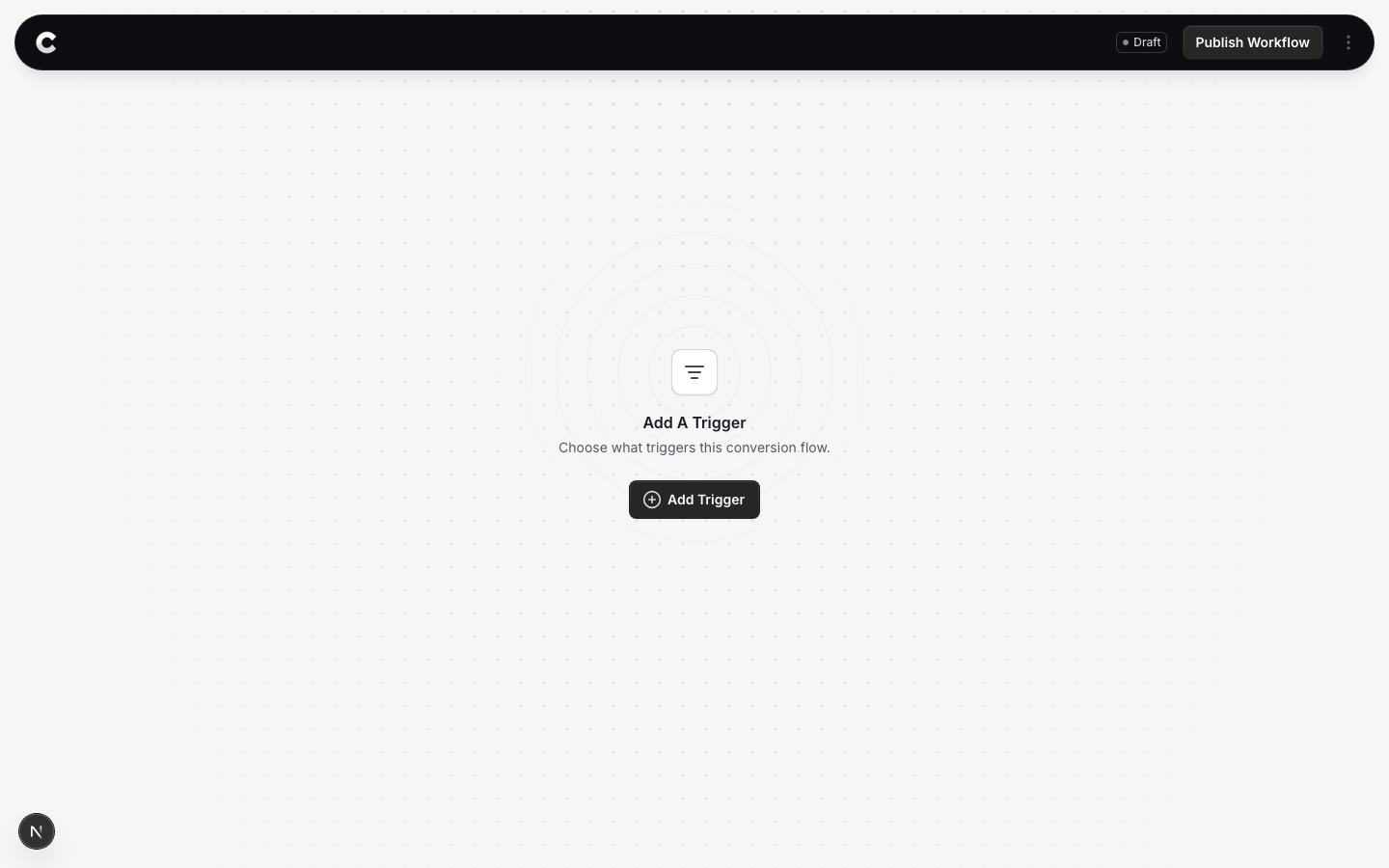
Create a flow (or open an existing one) and click Add Trigger.
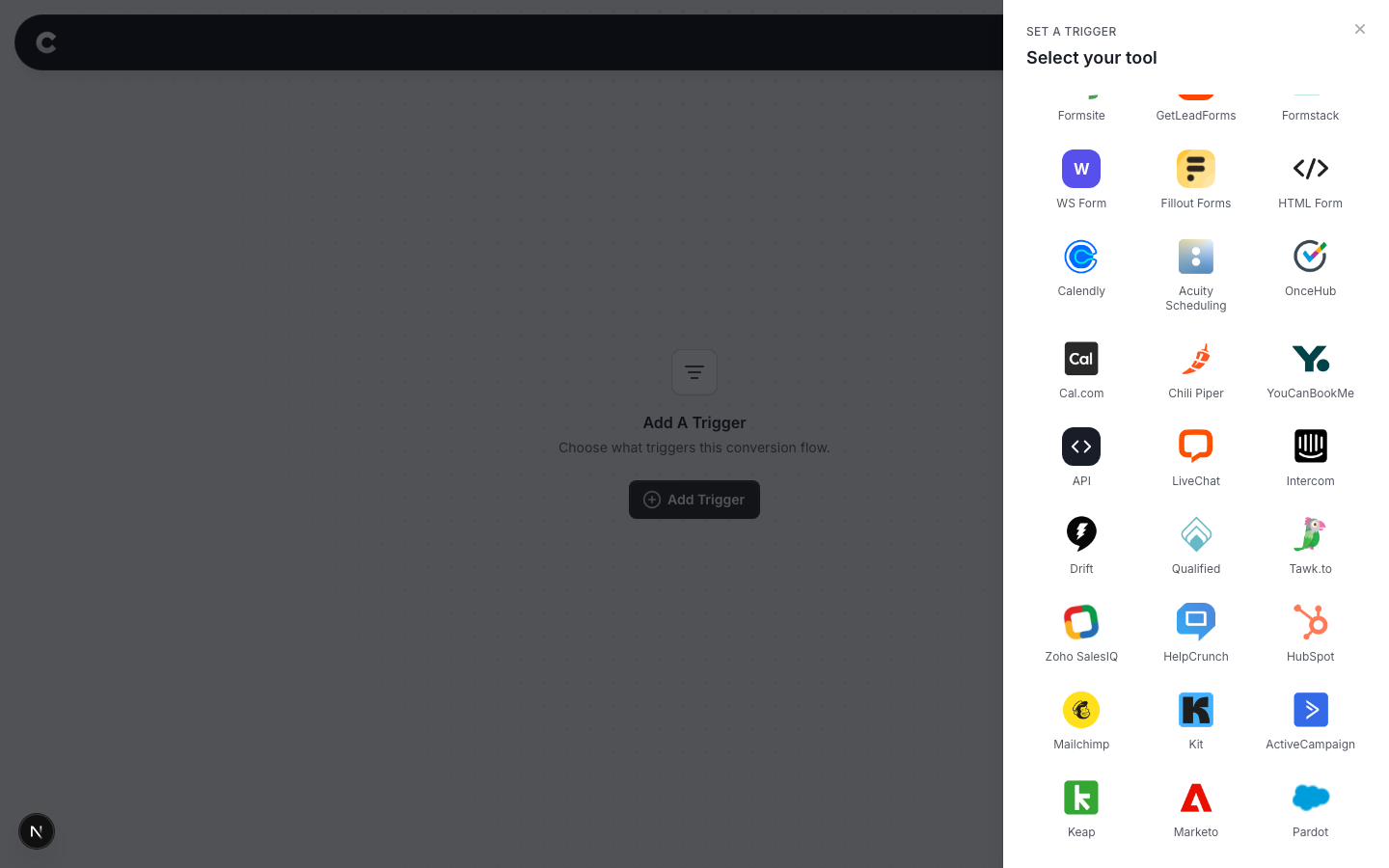
In the tool picker, choose API. It is in the Custom section, with a code brackets icon.
Step 2: Get your keys
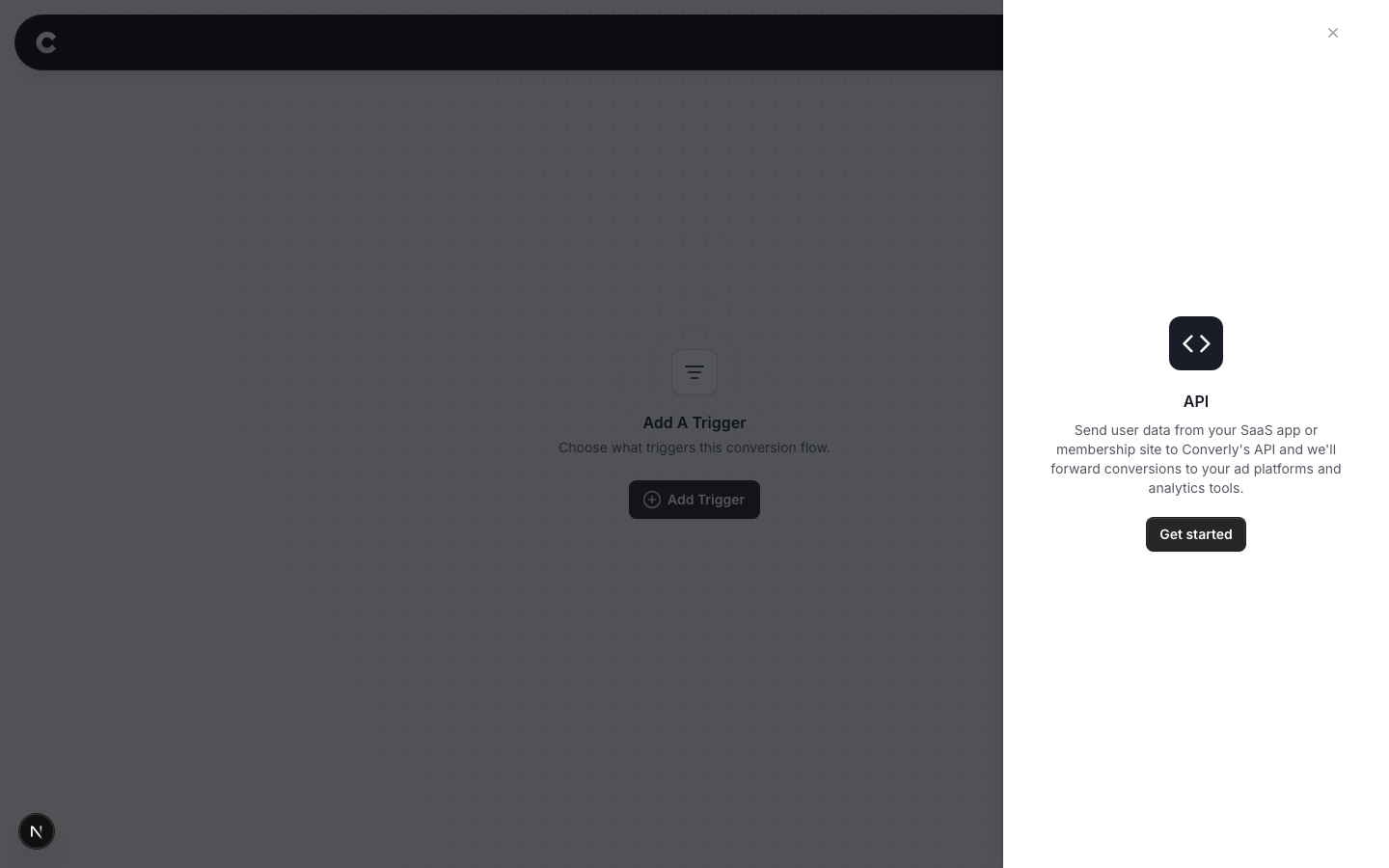
You will see a short intro screen. Click Get started.
Enter a Trigger Key: a short label for this signup flow, such as main-signup or ios-signup. Letters, numbers, hyphens and underscores only. If you have more than one signup path (for example a main signup and an invite-only signup), use a different Trigger Key for each and configure one flow per path.
Converly then shows you three values: your Site Key, your Trigger Key, and a Webhook Secret. The webhook secret is how your backend proves the request genuinely came from you, so treat it like a password.
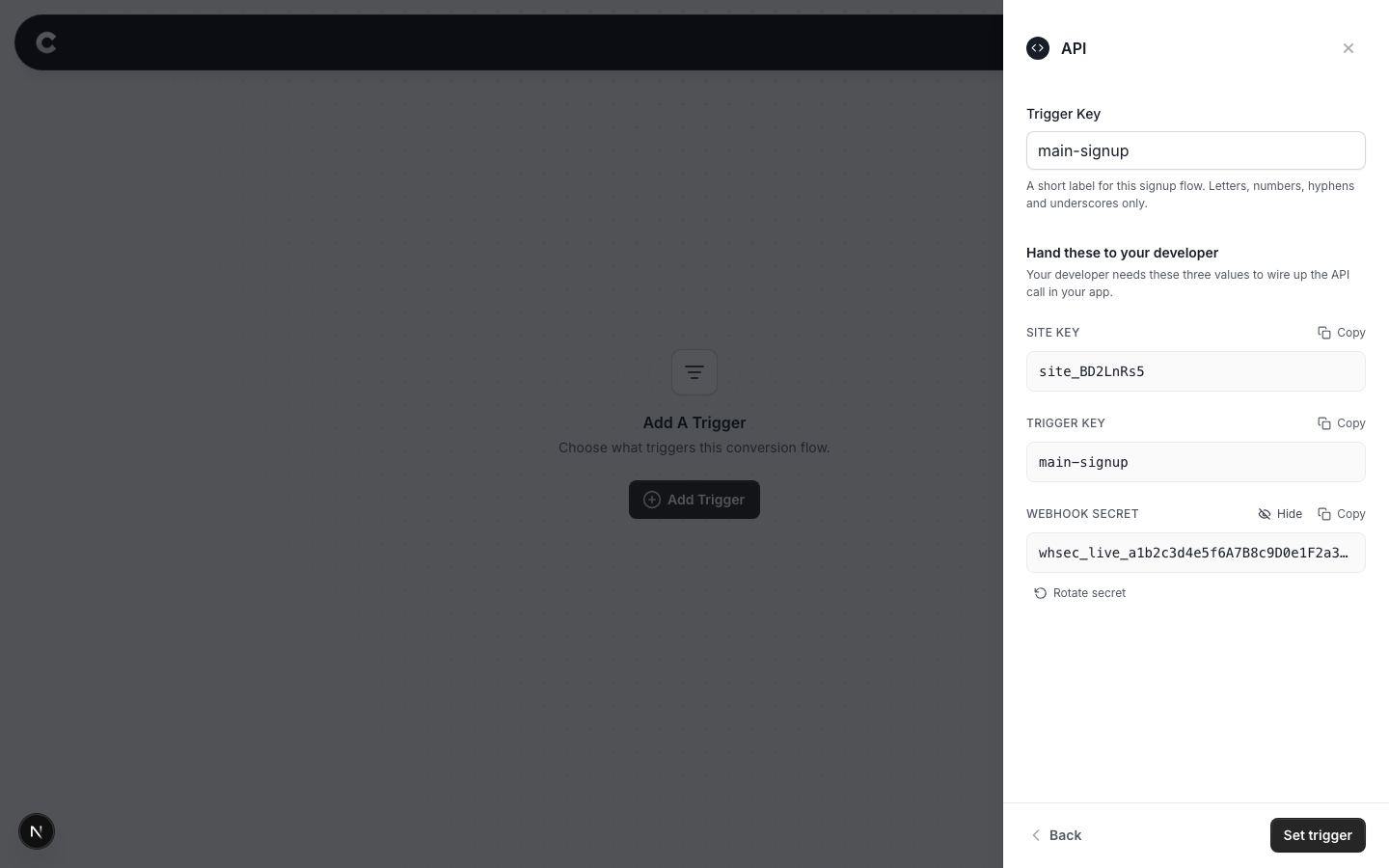
You can reveal, copy, and rotate the webhook secret from this screen. Rotating breaks any backend currently signing with the old secret, so only rotate if you think it has leaked, and coordinate with your developer first.
Click Set trigger, then connect your destinations (Google Ads, Meta) and save the flow as you would for any other trigger. See Building a workflow if you need a refresher.
Step 3: Hand the three values to your developer
Send your developer the Site Key, Trigger Key, and Webhook Secret, along with the rest of this article. The webhook secret should be shared securely (a password manager, not email or chat). Everything from here on is your developer's work.
Part 2: Developer reference
Everything below is for the developer wiring up the backend call. You will need the three values from Part 1.
Quick start: Node and Express
If your backend is Node.js with Express, this is about 10 minutes of work.
Install the SDK:
npm install @converly/sdk-node
Initialise once at startup:
// converly.js
import { createClient } from '@converly/sdk-node';

export const converly = createClient({
  siteKey:       process.env.CONVERLY_SITE_KEY,
  triggerKey:    process.env.CONVERLY_TRIGGER_KEY,        // 'main-signup'
  webhookSecret: process.env.CONVERLY_WEBHOOK_SECRET,
});
Use it in your signup handler:
// signup.js
import { converly } from './converly.js';

app.post('/signup', async (req, res) => {
  // Read the correlation token from the cookie Converly set in the browser
  const correlationToken = converly.readCorrelation(req);

  // Your normal signup logic
  const user = await createUser(req.body);

  // ONLY fire for genuinely new accounts (see Critical pitfalls)
  if (user.created) {
    await converly.completeSignup({
      correlation_token: correlationToken,
      customer_event_id: `account_created_${user.id}`,
      email:             user.email,
      phone:             user.phone,     // optional
      first_name:        user.firstName, // optional
      last_name:         user.lastName,  // optional
    }).catch((err) => {
      // Don't let a Converly failure crash your signup flow.
      // Converly retries on its own; you just log and continue.
      console.warn('converly fire failed', err);
    });
  }

  res.redirect('/dashboard');
});
That is the whole integration for a same-origin signup flow on Node and Express. The rest of this reference covers SSO, cross-origin SPA setups, non-Node backends, and the operational details.
Setup, step by step
1. Confirm the loader is on both sites
Before this can work, the Converly loader has to be installed on the marketing pages where visitors land from ads (where the click IDs arrive in the URL) and on the signup pages where the form or SSO button lives. It is the same snippet from your Converly dashboard in both places.
Verify it is running by opening DevTools, Console, on each page. You should see [Converly] Loader v1.0 initialized (siteKey: site_...).
2. Install the SDK
npm install @converly/sdk-node
Requires Node 18 or newer (for global fetch). For older Node, see the fetch option in the raw HTTP reference.
3. Configure the client
The SDK takes three required values plus a few optional ones. Store the secrets in environment variables, never in source code:
import { createClient } from '@converly/sdk-node';

const converly = createClient({
  // Required
  siteKey:       process.env.CONVERLY_SITE_KEY,
  triggerKey:    process.env.CONVERLY_TRIGGER_KEY,
  webhookSecret: process.env.CONVERLY_WEBHOOK_SECRET,

  // Optional
  apiBase:   'https://api.converly.io',   // default
  timeoutMs: 5000,                          // per-attempt timeout
});
Export the configured client from a shared module so the rest of your app uses one instance.
4. Read the correlation cookie
When a request hits your signup endpoint, the visitor's browser is sending a cookie called cnv_signup_correlation. Read it with the SDK helper:
const correlationToken = converly.readCorrelation(req);
req is your Express request object. The SDK supports both req.cookies (if you use cookie-parser middleware) and the raw Cookie header. It returns the token string, or null if the cookie is not present.
null is normal in some cases. Visitors who came to your site by direct URL (typed it in, or clicked an email link) and never landed on your marketing pages will not have a token. The pitfalls section explains how the SDK handles this safely by default.
5. Call completeSignup after creating the user
await converly.completeSignup({
  correlation_token: correlationToken,
  customer_event_id: `account_created_${user.id}`,
  email:             user.email,
  phone:             user.phone,
  first_name:        user.firstName,
  last_name:         user.lastName,
});
Put this call as close to the moment of actual account creation as possible: after the insert succeeds and your transaction commits. Not before (you would fire conversions for failed signups), not days later (you would time out the correlation cookie).
The fields:
| Field | Required? | What it is |
|---|---|---|
correlation_token | yes* | The string from readCorrelation(req). *Required unless you set allow_uncorrelated: true. |
customer_event_id | yes | Your stable per-account identifier. Used to dedup if your backend retries. The pattern account_created_<your-user-id> is recommended. Max 200 chars. |
email | recommended | The user's email. Raw. Converly hashes it server-side before sending to Google or Meta. |
phone | optional | Raw phone. Same server-side hashing. |
first_name | optional | Raw. |
last_name | optional | Raw. |
allow_uncorrelated | optional | false by default. See the pitfalls section. |
completeSignup returns a Promise. On success it resolves with {status: 'promoted', promoted_count: N, customer_event_id: '...'} (and a few other fields). On persistent failure (after 3 attempts with exponential backoff for 5xx errors) it rejects.
Always wrap it in .catch. A Converly failure should not crash your user's signup flow. Log and continue.
Handling social SSO (Google, GitHub, etc.)
The SSO case is structurally similar to a form submit. It just happens in your OAuth callback handler instead of your form POST handler.
Same-origin OAuth callback
If your OAuth callback URL is on the same domain as your marketing site (for example both on app.yourdomain.com):
app.get('/auth/google/callback', async (req, res) => {
  // Exchange the code for a Google profile (your existing OAuth library)
  const googleProfile = await google.handleCallback(req);

  // Read the correlation cookie. It has been sitting there since the
  // user clicked "Sign up with Google" on your signup page
  const correlationToken = converly.readCorrelation(req);

  // Your normal user create-or-find
  const { user, created } = await findOrCreateUser({
    email: googleProfile.email,
    googleId: googleProfile.id,
  });

  // CRITICAL: only fire for genuinely new accounts. SSO callbacks fire
  // for every login, including users who already have an account.
  if (created) {
    await converly.completeSignup({
      correlation_token: correlationToken,
      customer_event_id: `account_created_${user.id}`,
      email:             user.email,
      first_name:        googleProfile.given_name,
      last_name:         googleProfile.family_name,
    }).catch((err) => console.warn('converly fire failed', err));
  }

  res.redirect('/dashboard');
});
SSO callbacks fire for every login, not just new accounts
If you do not guard with if (created), you will fire a conversion every time an existing user logs in. Converly has a duplicate-fire backstop on the server side, but the customer-side guard is your primary defence and should always be in place.
Cross-origin OAuth callback
If your OAuth callback is on a different host than your signup page (for example callback on api.yourdomain.com but signup page on app.yourdomain.com), the cookie is not visible to the callback. In that case, pass the correlation token through the OAuth state parameter:
// On the signup page, when the user clicks "Sign up with Google":
const state = JSON.stringify({
  correlationToken: window.__converly.getCorrelationToken(),
  // ... your own state fields
});
window.location = `/auth/google/start?state=${encodeURIComponent(state)}`;
Then in the callback, decode req.query.state and use the correlationToken from there instead of readCorrelation(req).
SPA and cross-origin API setup
If your frontend is a single-page app calling an API on a separate origin (for example SPA on app.yourdomain.com, API on api.yourdomain.com), the API cannot read the cookie set on the SPA's origin. Your SPA has to read the token client-side and forward it to your API in the request body.
On the SPA, the Converly loader exposes a helper:
const correlationToken = window.__converly.getCorrelationToken();

const response = await fetch('https://api.yourdomain.com/signup', {
  method: 'POST',
  headers: { 'Content-Type': 'application/json' },
  credentials: 'include',
  body: JSON.stringify({
    email,
    password,
    correlationToken,   // forward to your API
  }),
});
On the API, use the value from the request body instead of reading the cookie:
app.post('/signup', async (req, res) => {
  const correlationToken = req.body.correlationToken || null;
  const user = await createUser(req.body);

  if (user.created) {
    await converly.completeSignup({
      correlation_token: correlationToken,
      customer_event_id: `account_created_${user.id}`,
      email:             user.email,
    }).catch((err) => console.warn(err));
  }
  // ...
});
null is fine. The SDK no-ops on null correlation tokens by default.
Critical pitfalls, read before shipping
Only fire for NEW accounts
The most common bug is calling completeSignup on every signup-page submission rather than gating on actual account creation. That fires conversions for returning SSO users, failed validations, admin-created accounts, and rolled-back transactions.
Call completeSignup from inside the if (user.created) (or equivalent) branch, after the transaction commits. Never speculatively, never optimistically.
Converly's server has a durable dedup ledger keyed by customer_event_id, so a retry of the same event will not double-fire. But the dedup ledger only protects against retries of the same event. It cannot tell that "Tim signing up the first time" and "Tim signing up again after deleting his account" are different events from your perspective.
Use a stable customer_event_id
customer_event_id is your stable identifier for "this specific account creation". If your backend retries the call, use the same customer_event_id and Converly will dedup.
Recommended format: account_created_${user.id}, assuming user.id is your database primary key and is immutable. Avoid timestamps, request IDs, or anything that changes on retry. Those defeat the dedup.
What happens when correlation_token is null
A null correlation_token means the visitor never went through the Converly-instrumented marketing flow (direct URL navigation, an email link, an admin-created account).
By default the SDK no-ops on null tokens: completeSignup returns without firing a conversion. This is intentional. Firing a conversion with no click attribution is wasted ad-platform quota and pollutes your conversion volume.
If you genuinely want to fire for uncorrelated signups (for example you have an organic-signup metric that matters), pass allow_uncorrelated: true:
await converly.completeSignup({
  correlation_token: null,
  customer_event_id: `account_created_${user.id}`,
  email:             user.email,
  allow_uncorrelated: true,   // fire anyway
});
The conversion still fires but with no click ID attached. Meta will accept it with low match quality. Google Ads Enhanced Conversions will not activate (it requires the GCLID).
Don't block the user on completeSignup
completeSignup makes an HTTP call to Converly. Do not make your user wait on it:
// Good: user is redirected immediately, conversion fires in the background
converly.completeSignup({...}).catch(err => log.warn('converly', err));
res.redirect('/dashboard');

// Bad: adds 100-500ms to the user's perceived signup time
await converly.completeSignup({...});  // blocks the response
res.redirect('/dashboard');
The awaited version is fine if your latency budget tolerates it and you want it for log clarity. Just be intentional.
Keep your webhook secret secret
Store it in environment variables, never in source code, and never expose it to the browser. You can re-view it any time from the API trigger's setup screen in your Converly dashboard. If you suspect it leaked, rotate it from that screen: any backend still signing with the old secret will start getting 401s until it is updated, so coordinate the rollout.
Raw HTTP API reference (non-Node backends)
If your backend is Python, Ruby, PHP, Go, etc., you do not need the SDK. Two endpoints matter to your backend.
Endpoint 1: completeSignup
POST https://api.converly.io/api/webhook-bridge/saas-signup/{site_key}/{trigger_key}
URL components:
{site_key}— your Site Key from the dashboard{trigger_key}— your Trigger Key
Headers:
Content-Type: application/jsonX-Converly-Signature: t=<unix_ts>,v1=<hmac_hex>(see the signing spec below)
Body (JSON):
{
  "correlation_token": "abc123...",
  "customer_event_id": "account_created_42",
  "email":             "user@example.com",
  "phone":             null,
  "first_name":        "Aaron",
  "last_name":         "Beashel"
}
correlation_token can be null (the uncorrelated path). All other fields except customer_event_id are optional.
Response (200):
{
  "status":            "promoted",
  "promoted_count":    1,
  "customer_event_id": "account_created_42"
}
status can be one of:
promoted— conversion firedawaiting_browser_half— the webhook arrived first; it will fire when the browser half lands, or be cleaned up at 5 minutes if it never arrivesno_matching_flows— your trigger_key has no active flows in your dashboardno_promotion— an internal status, usually a no-op
Endpoint 2: the browser-set cookie
The browser-side loader writes a cookie called cnv_signup_correlation to the visitor's browser. Your backend just reads it from the request:
Cookie: cnv_signup_correlation=<token>; ...other_cookies
The value is URL-encoded, so decode it before use.
Example: Python (Flask)
import os
import time
import hmac
import hashlib
import json
import requests

CONVERLY_SITE_KEY       = os.environ['CONVERLY_SITE_KEY']
CONVERLY_TRIGGER_KEY    = os.environ['CONVERLY_TRIGGER_KEY']
CONVERLY_WEBHOOK_SECRET = os.environ['CONVERLY_WEBHOOK_SECRET']
CONVERLY_API_BASE       = 'https://api.converly.io'

def fire_converly_signup(correlation_token, customer_event_id, email, **extra):
    path = f'/api/webhook-bridge/saas-signup/{CONVERLY_SITE_KEY}/{CONVERLY_TRIGGER_KEY}'

    body = json.dumps({
        'correlation_token': correlation_token,
        'customer_event_id': customer_event_id,
        'email':             email,
        'phone':             extra.get('phone'),
        'first_name':        extra.get('first_name'),
        'last_name':         extra.get('last_name'),
    }, separators=(',', ':'))

    timestamp = int(time.time())
    signing_string = f'{timestamp}.POST.{path}.{body}'
    signature = hmac.new(
        CONVERLY_WEBHOOK_SECRET.encode('utf-8'),
        signing_string.encode('utf-8'),
        hashlib.sha256,
    ).hexdigest()

    return requests.post(
        CONVERLY_API_BASE + path,
        data=body,
        headers={
            'Content-Type':        'application/json',
            'X-Converly-Signature': f't={timestamp},v1={signature}',
        },
        timeout=5,
    )

@app.route('/signup', methods=['POST'])
def signup():
    correlation_token = request.cookies.get('cnv_signup_correlation')
    user, created = create_user(request.form)
    if created:
        try:
            fire_converly_signup(
                correlation_token=correlation_token,
                customer_event_id=f'account_created_{user.id}',
                email=user.email,
            )
        except requests.RequestException as e:
            app.logger.warning('converly fire failed: %s', e)
    return redirect('/dashboard')
HMAC signing specification
Converly verifies that requests come from your backend via a Stripe-style HMAC signature. The header format is:
X-Converly-Signature: t=<unix_timestamp>,v1=<hmac_hex>
To compute the v1 value:
-
Construct the signing string:
{unix_timestamp}.{HTTP_METHOD_UPPERCASE}.{path}.{raw_body_bytes}unix_timestamp— current Unix time in seconds (integer)HTTP_METHOD_UPPERCASE—POST(uppercase ASCII)path— the request path, leading slash, NO query string, NO trailing-slash normalisation. Example:/api/webhook-bridge/saas-signup/site_abc/main-signupraw_body_bytes— the request body bytes exactly as sent on the wire. Compute this BEFORE any framework re-serialises the JSON. The serialisation must match the bytes Converly receives, byte for byte.
-
HMAC-SHA256 the signing string with your
webhookSecretas the key. -
Hex-encode the result, lowercase.
-
Construct the header:
t={timestamp},v1={hex}.
Freshness window: 5 minutes. Requests where now() - timestamp > 300 seconds are rejected. Clock skew matters, so keep your server's clock in sync with NTP.
The header format allows multiple signatures for rotation (t=...,v1=...,v1=...). For now there is only one version, but design your signing code to tolerate future versions appearing in this header without breaking.
Example: Go
package converly

import (
    "bytes"
    "crypto/hmac"
    "crypto/sha256"
    "encoding/hex"
    "encoding/json"
    "fmt"
    "net/http"
    "os"
    "time"
)

type SignupPayload struct {
    CorrelationToken *string `json:"correlation_token"`
    CustomerEventID  string  `json:"customer_event_id"`
    Email            *string `json:"email,omitempty"`
    Phone            *string `json:"phone,omitempty"`
    FirstName        *string `json:"first_name,omitempty"`
    LastName         *string `json:"last_name,omitempty"`
}

func FireSignup(payload SignupPayload) error {
    siteKey    := os.Getenv("CONVERLY_SITE_KEY")
    triggerKey := os.Getenv("CONVERLY_TRIGGER_KEY")
    secret     := os.Getenv("CONVERLY_WEBHOOK_SECRET")

    path := fmt.Sprintf("/api/webhook-bridge/saas-signup/%s/%s", siteKey, triggerKey)

    body, err := json.Marshal(payload)
    if err != nil { return err }

    timestamp := time.Now().Unix()
    signingString := fmt.Sprintf("%d.POST.%s.%s", timestamp, path, body)

    mac := hmac.New(sha256.New, []byte(secret))
    mac.Write([]byte(signingString))
    signature := hex.EncodeToString(mac.Sum(nil))

    req, err := http.NewRequest("POST", "https://api.converly.io"+path, bytes.NewReader(body))
    if err != nil { return err }

    req.Header.Set("Content-Type", "application/json")
    req.Header.Set("X-Converly-Signature", fmt.Sprintf("t=%d,v1=%s", timestamp, signature))

    client := &http.Client{Timeout: 5 * time.Second}
    resp, err := client.Do(req)
    if err != nil { return err }
    defer resp.Body.Close()

    if resp.StatusCode >= 400 {
        return fmt.Errorf("converly returned %d", resp.StatusCode)
    }
    return nil
}
Retry policy (your responsibility)
The Converly Node SDK retries 5xx errors with 1s, 3s, 9s exponential backoff (3 attempts total) and fails fast on 4xx. If you call the API directly, replicate this:
- 5xx response: retry up to 3 times with exponential backoff. These usually clear within seconds.
- 4xx response: do not retry. A 4xx means your request is malformed (wrong signature, invalid body). Retrying will not help. Log and investigate.
- Network error or timeout: retry, same backoff as 5xx.
Test it works
Do this once your integration is wired up:
- Open your marketing site in a fresh incognito window with DevTools open.
- Navigate to
https://yourdomain.com/?gclid=TESTCONVERLY&fbclid=TESTCONVERLY. - Wait 2 seconds, then check DevTools, Application, Cookies,
yourdomain.com. You should see cookies named_converly_gclid(valueTESTCONVERLY),_fbc,_fbp, and so on. - Navigate to your signup page (for example
https://app.yourdomain.com/signup). - Submit the signup form with a unique fake email like
test-1234@example.com. - Open your Converly dashboard and find the debug log.
- Within a few seconds you should see a conversion event for
test-1234@example.com, withbrowser_context.gclid = "TESTCONVERLY"populated and a success status for each configured ad platform.
If any step fails, see Troubleshooting below.
Verify in Meta Events Manager
Meta's Test Events tool shows incoming events in real time. Use a fresh test pixel for development, send your Converly support contact the test event code so they can route your test conversions to it temporarily, then submit a test signup. Within seconds the event should appear with a match quality score of 8 to 9. If it is below 5, something is missing from the user data, usually fbc (which means cross-subdomain cookies are not working) or client_ip_address (which Converly always populates).
Verify in Google Ads
Google Ads Enhanced Conversions for Web has no real-time test tool. Conversions land in the Google Ads Conversions report within 24 to 48 hours with an "Enhanced" badge. The badge means the GCLID and hashed customer data were both received.
That's it. Once a real signup shows up in your debug log with the click ID populated and your destinations firing, the integration is live.
Troubleshooting
The conversion never appears in the debug log
Run through this in order:
- Is the Converly loader installed on the marketing site? Open it, DevTools console, look for
[Converly] Loader v1.0 initialized. If not, the install snippet is missing. - Is the loader installed on the signup page? Same check, on your signup URL. Both sites need it.
- Did the loader detect signup intent? The console should show
[Converly:saas-signup] Captured signup intent token=.... If not, check that you have configured an API trigger flow in the dashboard. - Did the browser POST to
/api/signup-correlations? Network tab, filter forsignup-correlations. You should see a POST returning 200. A 403 means your domain is not in your allowed origins (configure that in the dashboard). - Did your backend call completeSignup? Add a log line in your handler. If it did not run, your
if (created)guard may be blocking it incorrectly. - Did completeSignup succeed? Log the response. A 401 means your webhook secret is wrong. A 400 means your payload is malformed.
- Does the dashboard flow's Trigger Key match the one your backend uses? If the dashboard has
main-signupbut your backend calls withsignup, the webhook is rejected withno_matching_flows.
The match quality score is low on Meta
- No click ID was captured (the visitor came via organic traffic). Match quality tops out around 5 or 6 without click IDs. Expected.
- Cross-subdomain cookies are not visible: the visitor landed on
yourdomain.combut signup is onapp.yourdomain.com. Check the Domain column in DevTools, Cookies. It should show.yourdomain.com(with the leading dot), notyourdomain.com. If it is wrong, contact Converly support. - The
fbpcookie is missing from the event. A Meta Pixel installed elsewhere may be scoping the cookie differently. Try removing that Pixel and re-testing; Converly will set_fbpitself.
Conversions fire for users who did not actually sign up
You are missing the if (created) guard, or it has a bug. SSO callbacks are the classic case: they fire for every login, not just new accounts. Audit the call site and add the guard.
Duplicate conversions for the same user
Check that you send the same customer_event_id on retries. If it is random or timestamp-based, the dedup ledger cannot catch the duplicate.
401 from completeSignup
Signature verification failed. Common causes: wrong webhookSecret (typo, wrong environment); the server clock is more than 5 minutes off NTP; a runtime that mangles the request body before sending; or a manual implementation that computed the HMAC over re-serialised JSON whose bytes differ from what is on the wire.
FAQ
Does Converly need special infrastructure on my end? No. A standard HTTP POST from your backend is all that is required. The browser-side capture happens in the Converly loader you already installed. The two-halves merge happens on Converly's server.
What if I use SSR (Next.js, Remix, SvelteKit)?
Read the correlation cookie in your server action or route handler the same way you would in Express. The SDK's readCorrelation(req) accepts any object with a headers.cookie string or a cookies object, which most SSR frameworks expose.
My users sign up via a mobile app, not the web. Does this work? Not directly. Converly's value here relies on browser-captured click IDs and fingerprint cookies. Mobile app installs and signups need a different model (Apple Search Ads, Google Play install referrer, and so on). Contact Converly support if this matters for you.
What about email-verification flows (sign up now, verify later)?
Two patterns work. Fire on the initial signup attempt (simpler, consistent with most products; the tiny number of users who never verify will count). Or fire on verification (more accurate, but you must persist the correlation_token on the user record at signup time and read it back at verification, because the browser cookie may have expired by then). Most teams ship with the first pattern.
How long does the correlation cookie live? 30 minutes by default. After that the signup is treated as uncorrelated (no click ID, lower match quality). 30 minutes covers the common case plus tolerance for verification interstitials and tab switches.
Can I see what data Converly sends to Meta and Google? Yes. Your dashboard's debug log shows the full request and response for each conversion fire.
I have multiple signup paths. Can I track them separately? Yes. Use a different Trigger Key per path: configure one flow per path in the dashboard, each with its own destinations and conversion event names. Your backend picks which Trigger Key to use per signup type.
How does this compare to GTM server-side or Stape? Converly is purpose-built for the SaaS-signup pattern (browser-to-backend merge with full match quality). GTM server-side and Stape are general-purpose tag containers you would have to configure heavily to get similar match quality. Converly's value is the opinionated default: set it up once, get strong match quality without thinking about it.